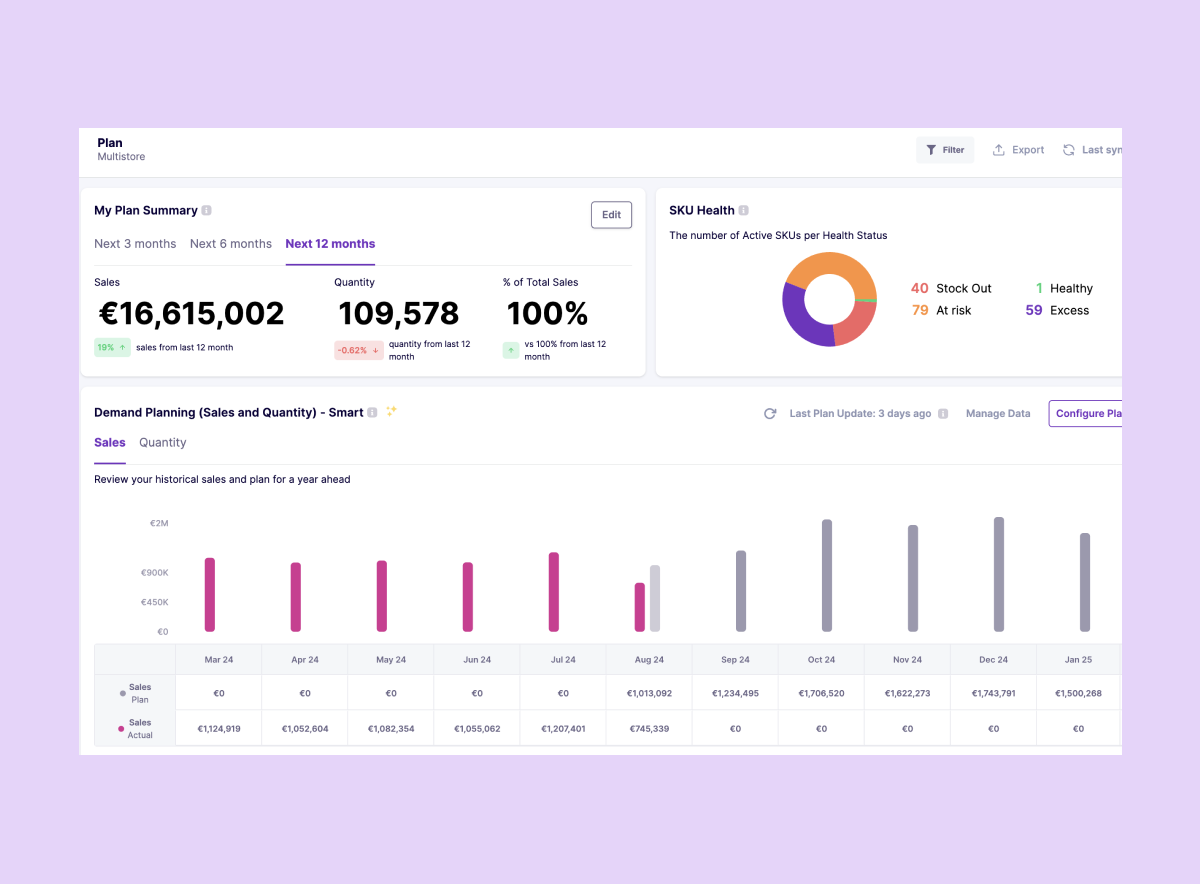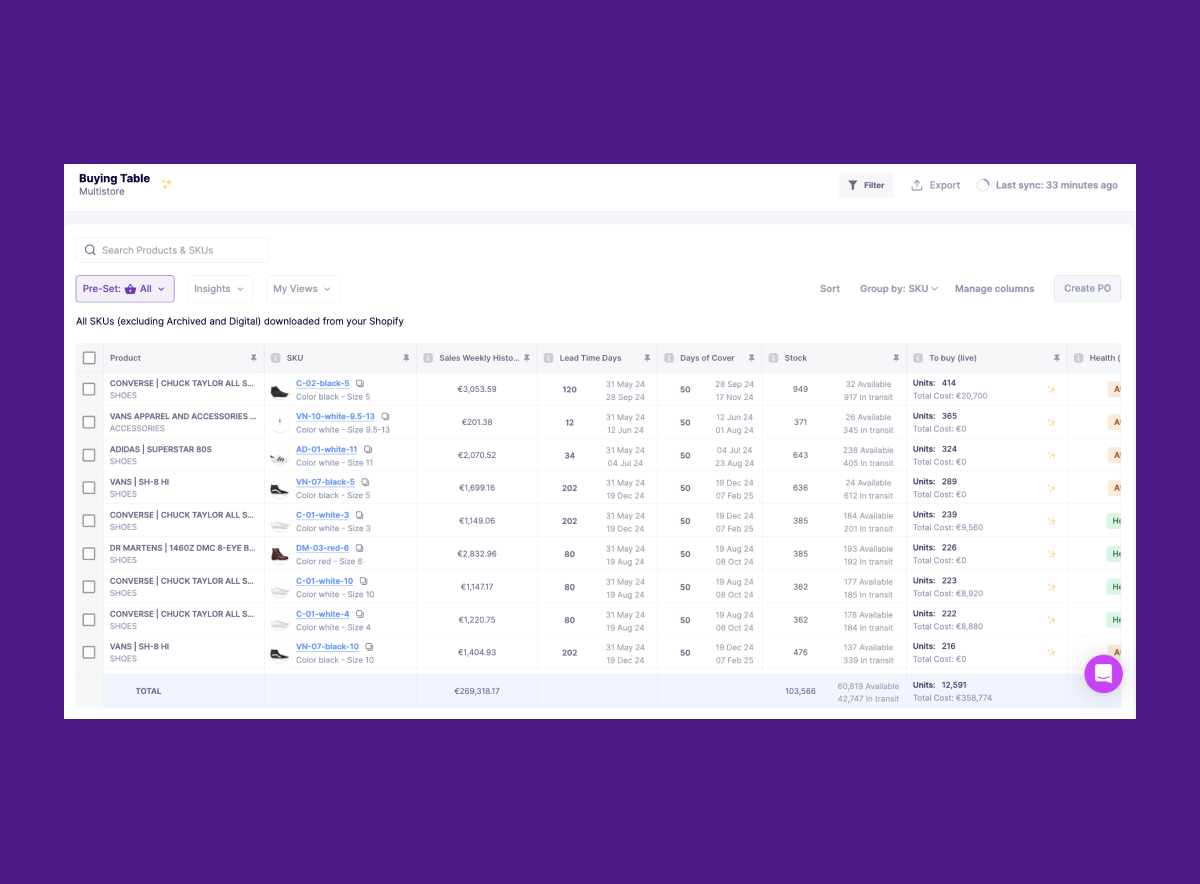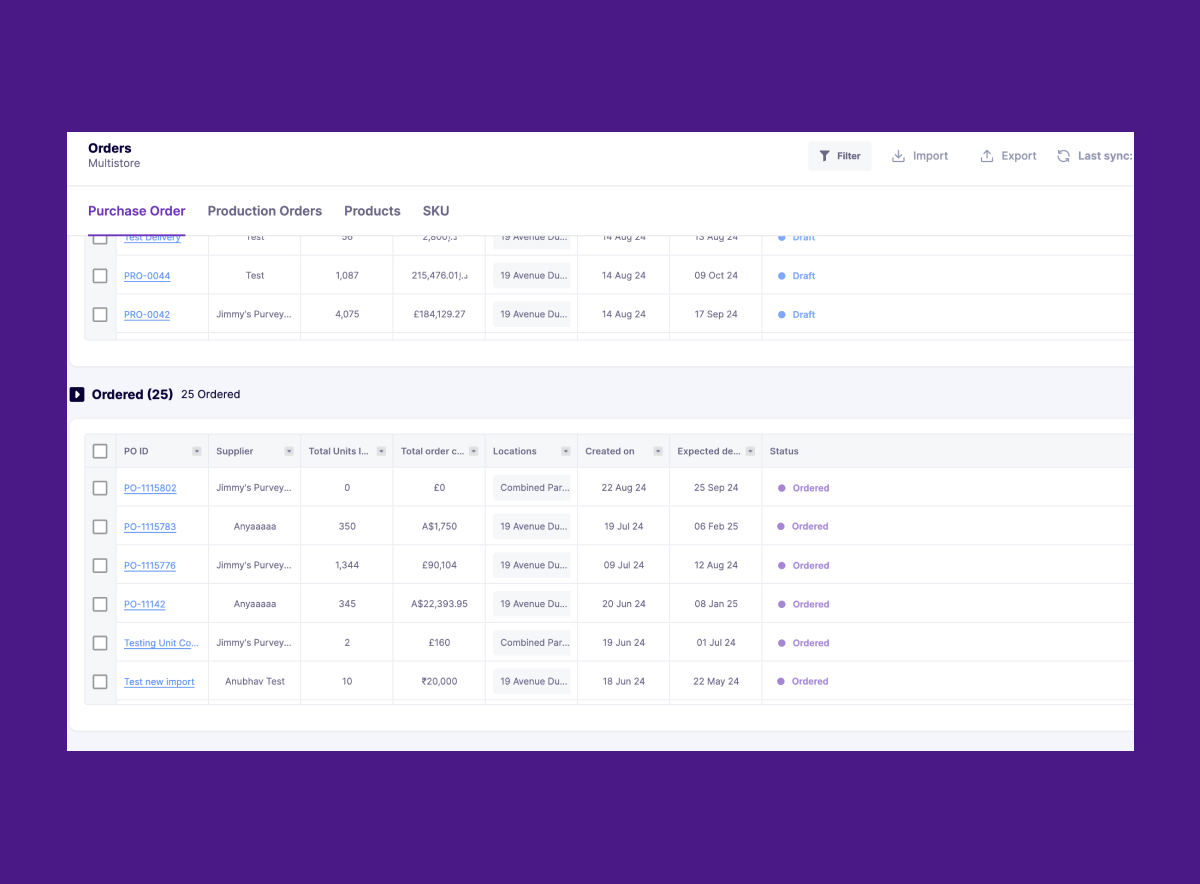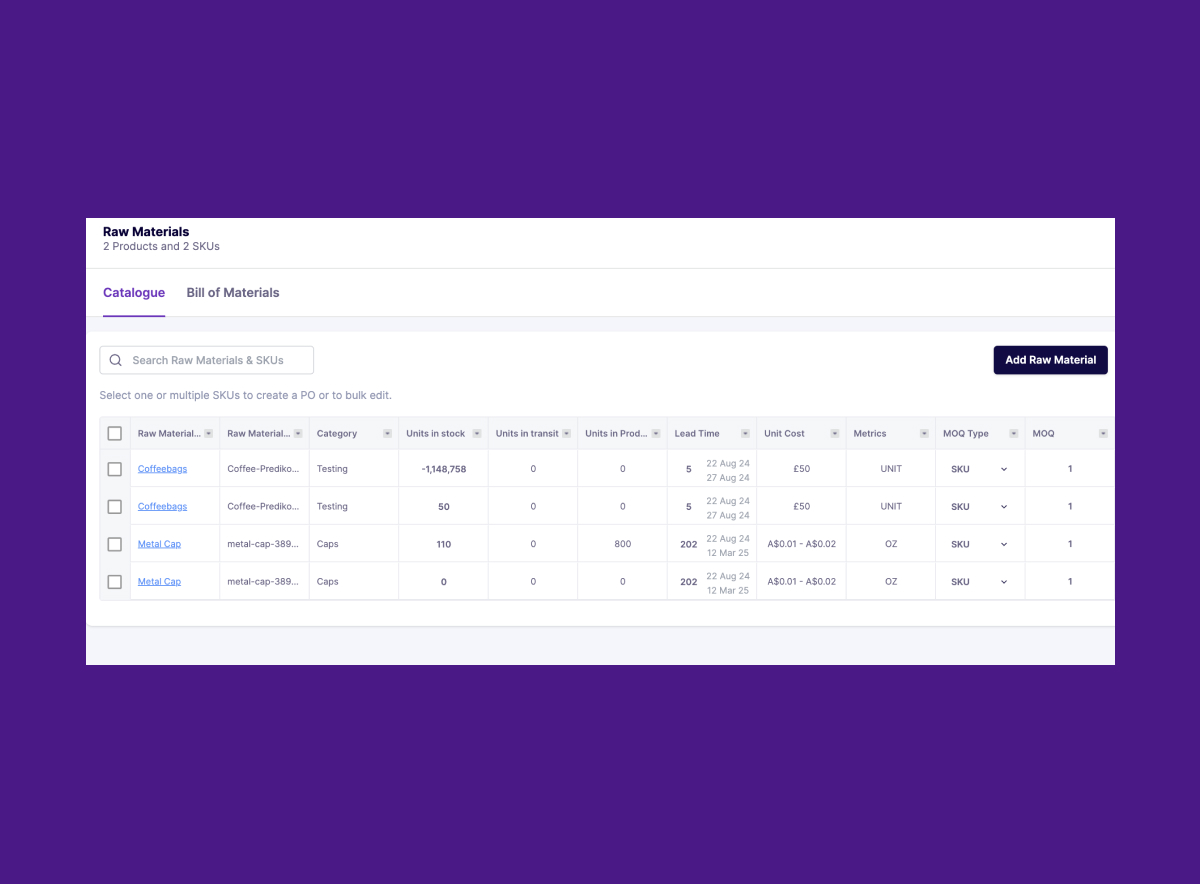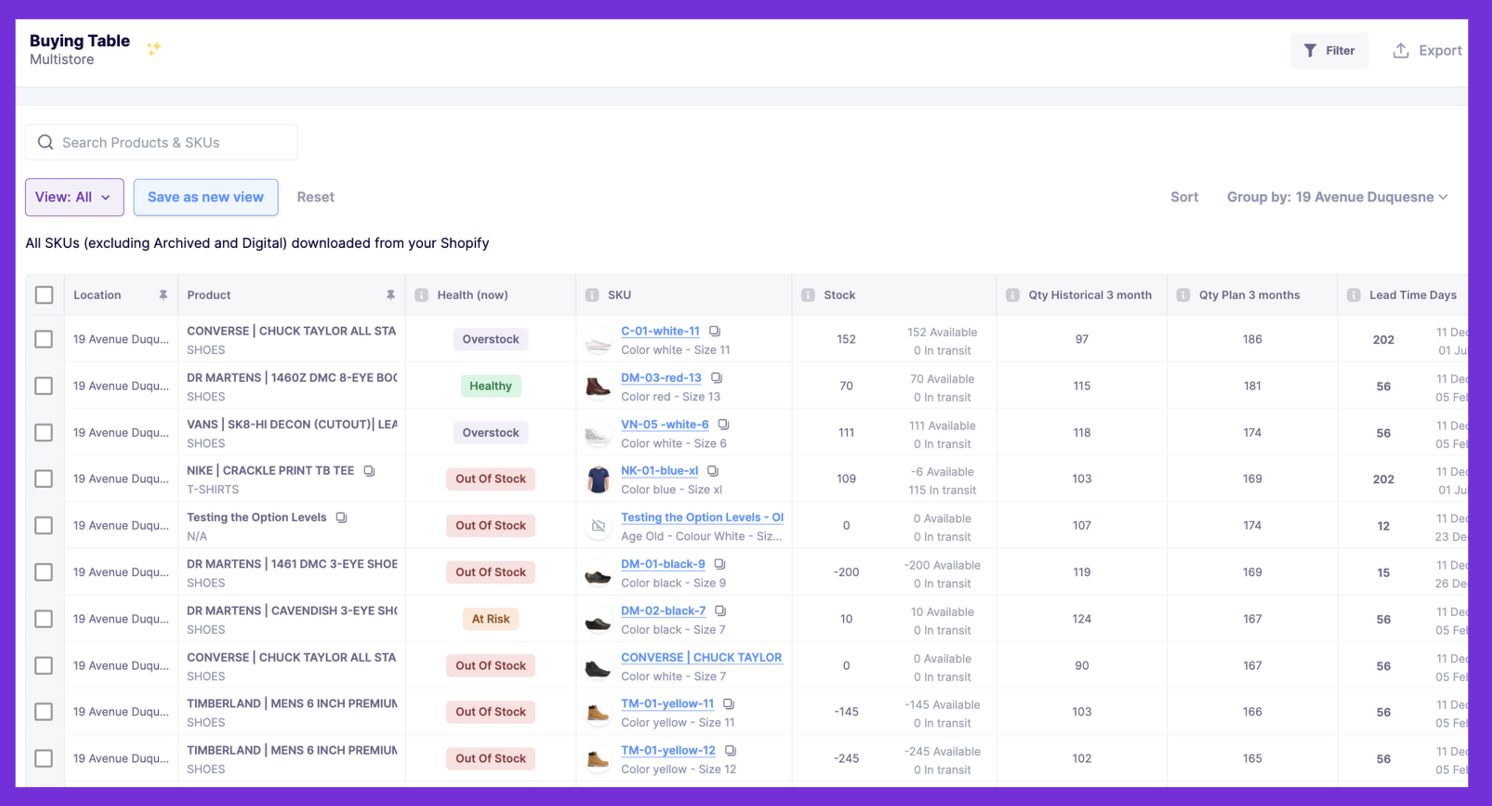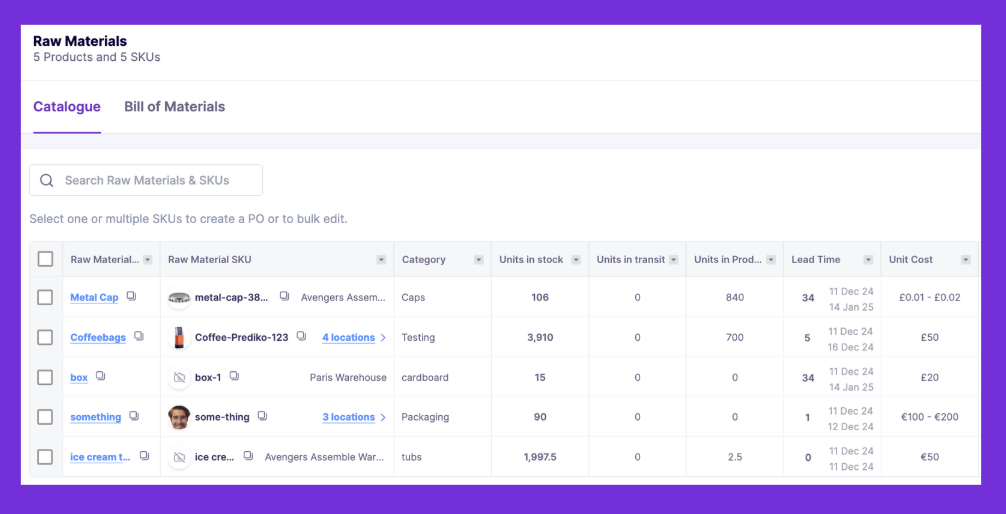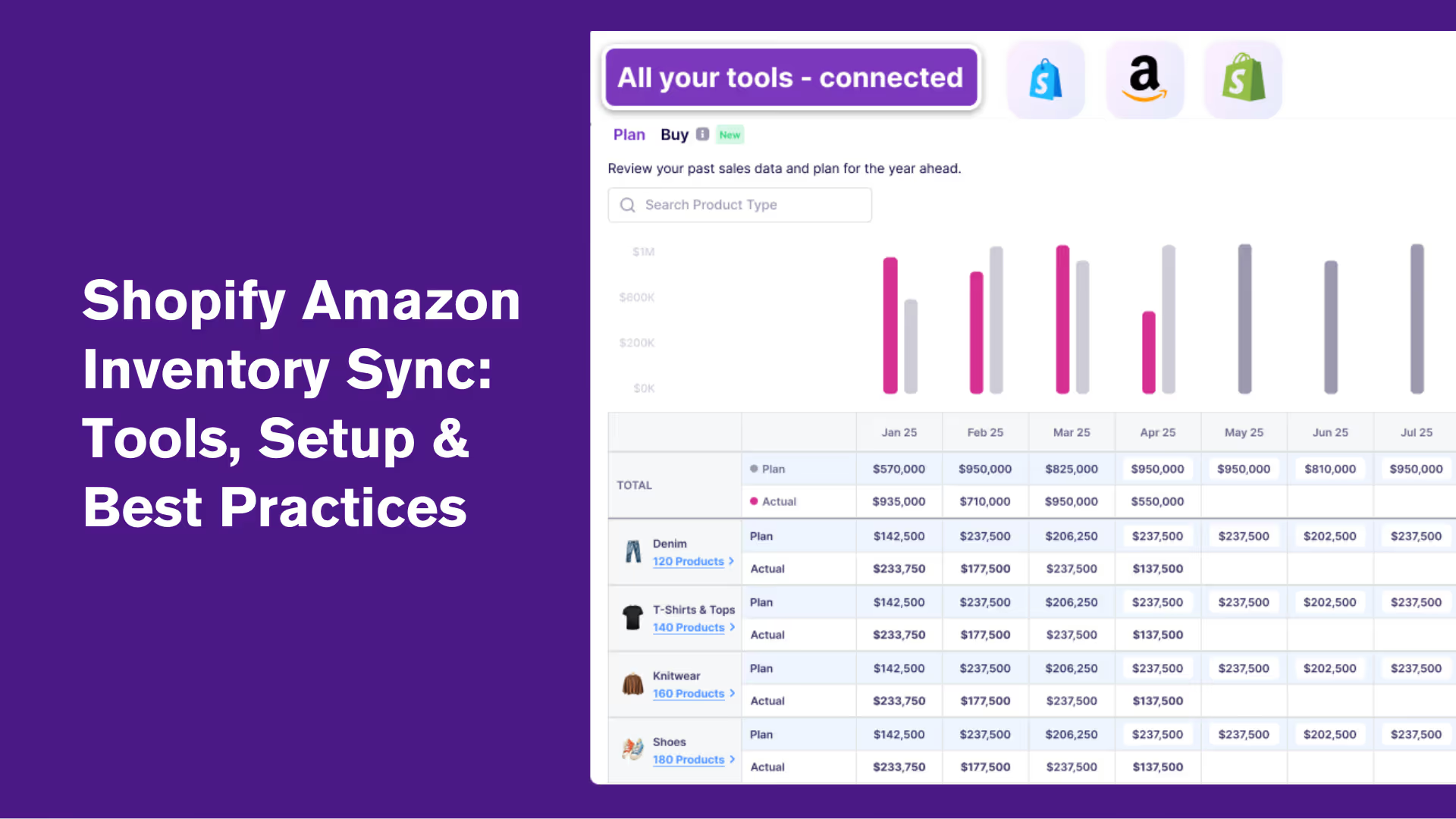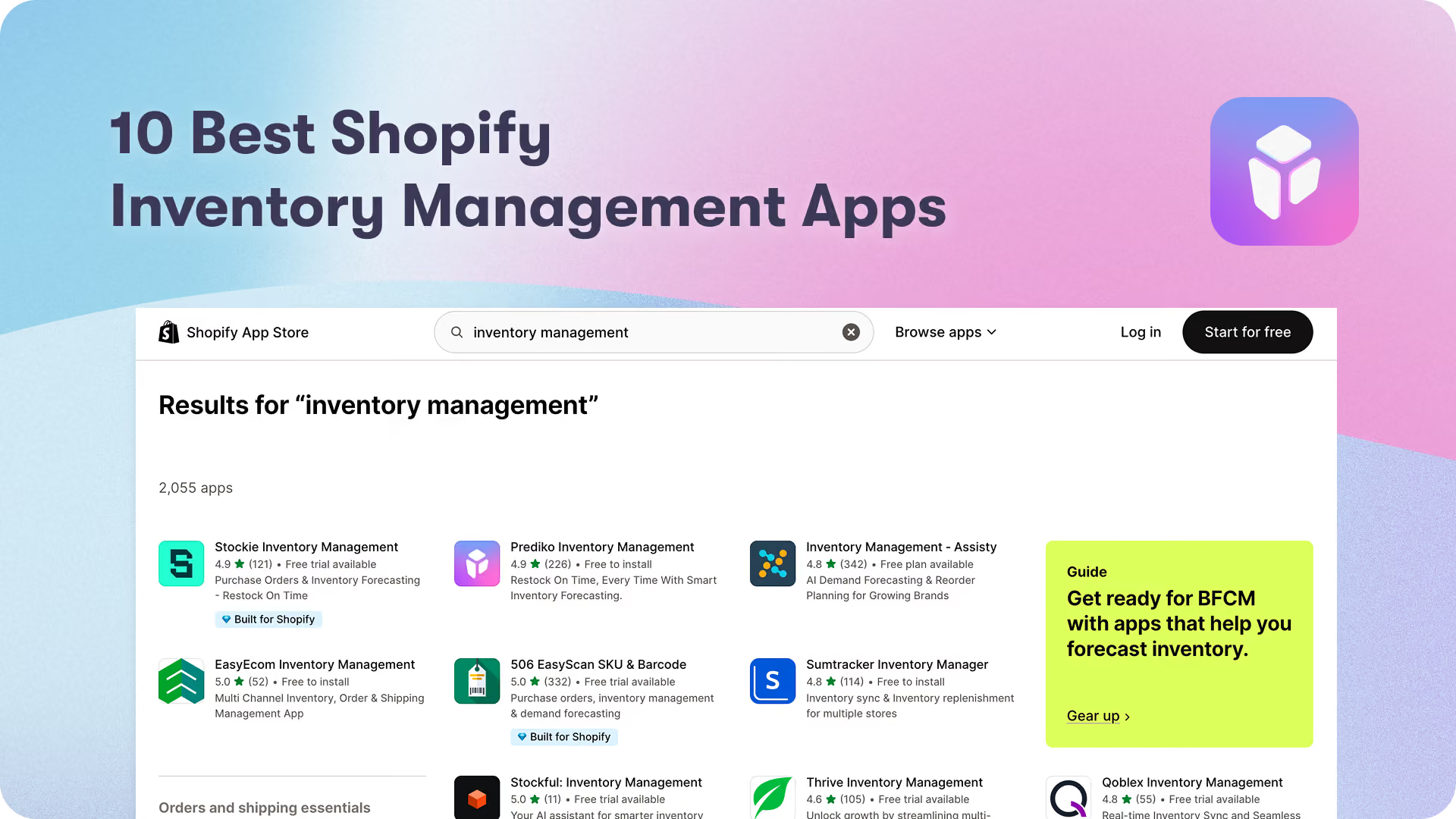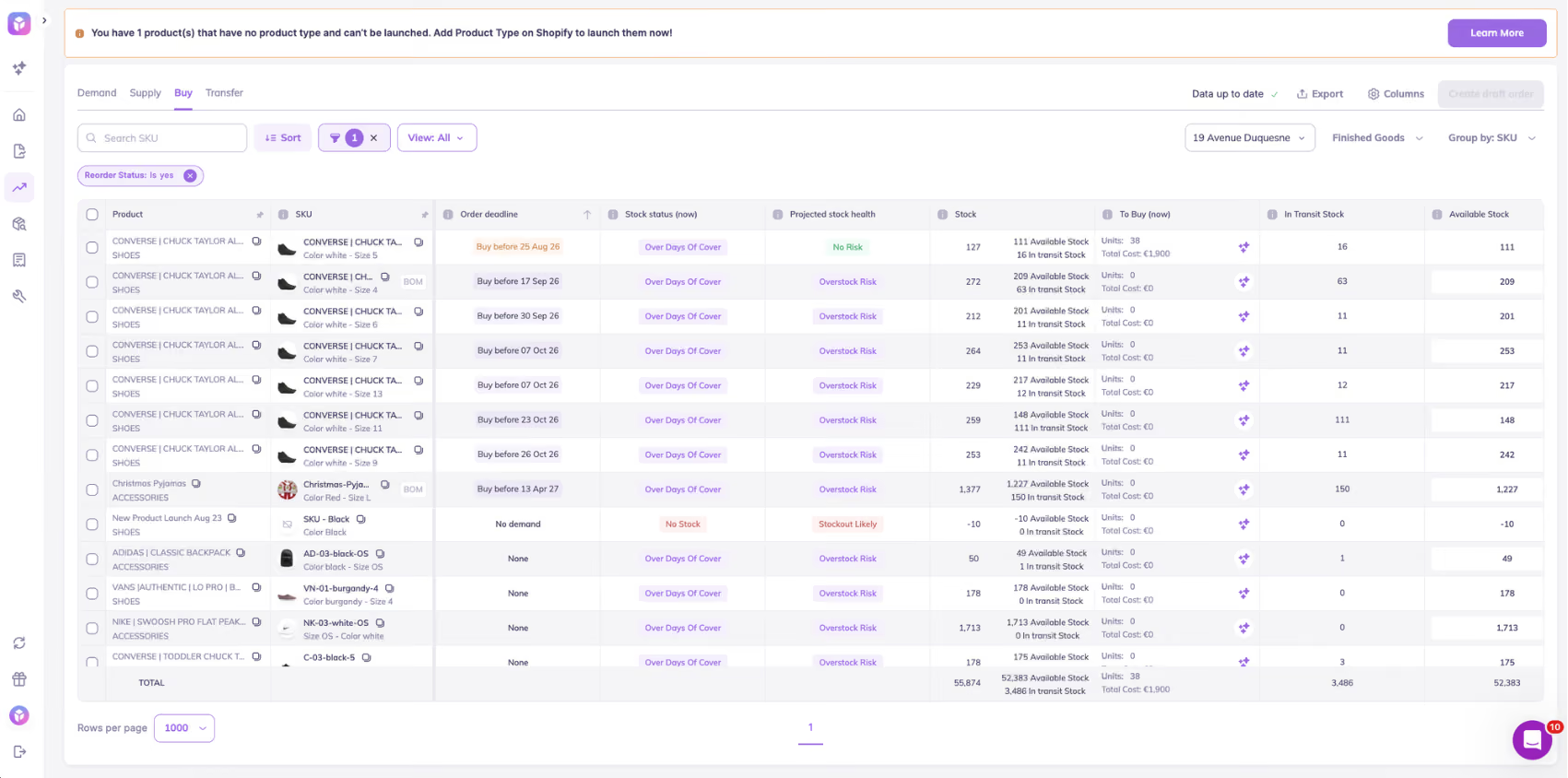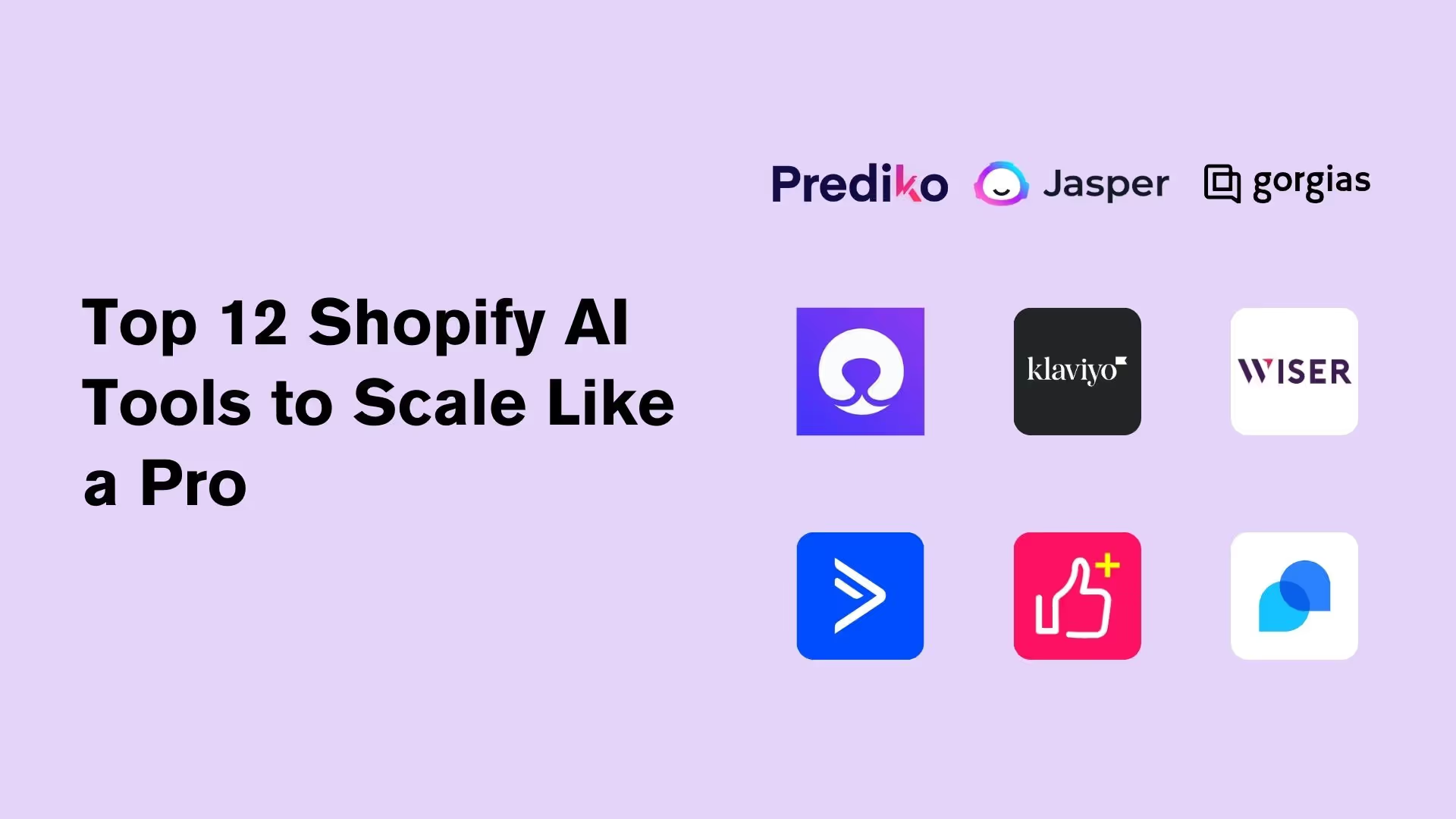




Restock on time, every time.

Prediko helps Shopify brands make smarter forecasts and create POs faster

Get A Demo

Latest Articles

5 min
Dec 2025

What’s the Difference Between Products and Variants on Shopify?

Not sure whether your item should be a product or a variant on Shopify? This guide explains both.

Read Blog

Shopify treats products and variants differently. When you add a new item to your store, Shopify automatically creates one variant of that item. 

Every product must have at least one variant, because variants represent the actual version of the product that customers purchase. 

In other words, the product acts as the parent container while each variant is a child item with its own specific characteristics.

  • Products: A product is the overarching item that you sell. It contains general information such as the title, description, brand, product type and collection. Products can have multiple variants, but some products consist of only a single variant (the default variant).
  • Variants: A variant is a specific configuration of a product created by combining the product’s option values (e.g., size = small, color = blue). When a product comes in different sizes, colours or other attributes, each unique combination is a variant.

Note: Shopify lets you add up to three option types (such as size, colour or material) per product and supports up to 2,048 variants per product.  

Each variant has its own details (such as price, inventory quantity, weight and SKU) that you manage on the variant details page rather than on the product page

Options vs. variants 

  • Options are attributes of a product, for example, size, colour or material. They define how a product can vary, but by themselves, they don't represent something you can sell. A product can have up to three options. 
  • Variants are the purchasable versions of the product created from option combinations. Each combination of option values becomes a variant

For example, a T‑shirt with options for size (small, medium, large) and colour (blue, green) has six variants: small‑blue, small‑green, medium‑blue, medium‑green, and so on. 

Each variant can have its own price and inventory

What stays at the product level?

The product record stores information that applies to all variants

Product attributes Purpose
Title, description & images A product’s name, descriptive text and general images are stored at the product level. Variants can have their own images, but the main product images present the overall item.
Vendor & product type Used to categorize products and create collections.
Collections/tags Products are placed into collections for navigation and merchandising. Collections apply to the product as a whole.
Metafields Custom fields attached to the product that apply to all variants. Variant metafields are separate.
General pricing rules When all variants share the same price, the price can be set at the product level and inherited by variants (unless overridden).

How is inventory tracked?

Because product records do not include inventory quantities, you cannot track stock at the product level. 

When a product has no variants, you set its price, inventory and shipping on the product details page; but once variants are added, you must adjust those settings for each variant. 

Inventory is therefore tracked at the variant level

What stays at the variant level?

Variants hold information about each specific version of the product

Variant attributes Purpose
SKU (Stock Keeping Unit) Each variant needs a unique SKU for inventory tracking and reporting. SKUs are internal codes that help track stock and sales, and Shopify requires every product and variant to have its own unique SKU.
Option values The combination of option values (for example, size = Medium and colour = Blue) that defines the variant.
Price & compare-at price Variants can have different selling prices. For example, a larger size may cost more or use a different tax rate.
Barcode & weight Used for shipping calculations and scanning at point of sale.
Inventory quantity & location Each variant has its own inventory quantity, managed on the Inventory page. To track inventory for a product with variants, select the specific variant, enable Track quantity, and enter stock per location.
Variant image You can assign an image that represents the specific variant (for example, showing the blue version instead of the default product image).
Variant metafields Custom fields that apply only to this variant (for example, a manufacturing batch number). Variant metafields can be added to the variant details page but can’t currently be displayed to customers.

Important things to note 

A product ID identifies the parent product in Shopify’s database, while each variant has its own variant ID. You can find a variant’s ID by clicking the variant in the product details page and looking at the URL – the number after /variants/ is the variant ID.

Products without variants still have a default variant ID that can be viewed by appending .json to the product URL and looking for the "variants" → "id" value

Understanding these identifiers is important when working with CSV imports or API integrations.

Best Practices When Defining Products and Variants

A clear product–variant structure keeps your store organised and your inventory clean. These best practices will help you avoid common setup mistakes.

1. Use category metafields for consistent option values

Category metafields let you create reusable option lists (like a master colour list) so your option names stay consistent across products. If you update an entry (say “Cyan” to “Blue”), Shopify automatically updates it everywhere that metafield is used.

2. Turn on inventory tracking and add quantities

Open your product in Shopify, click each variant, and in the Inventory section, enable Track quantity and enter the starting stock. Repeat for every variant. You can update quantities one by one or use the bulk editor/CSV to do it faster.

3. Use descriptive SKUs

Design SKUs so you can identify the product, variant options and even location at a glance. This makes stock reconciliation easier and helps when importing or updating inventory via CSV.

4. Capture custom data with metafields

Use variant metafields to store specialized information such as manufacturing details or internal notes. Variant metafields can be created on the variant details page, but they aren’t displayed to customers.

5 min
Dec 2025

Top 10 Shopify AI Integrations You Need in 2026

Prediko and other top Shopify AI integrations help brands automate inventory forecasting, purchase orders, customer support, marketing, and merchandising with real-time data, customizable workflows, and AI-powered actions that keep stores efficient and scalable in 2026.

Read Blog

Running a Shopify store in 2026 means wearing a lot of hats –marketer, analyst, inventory planner, customer support rep, and sometimes, all at once. That’s where AI comes in.

From writing product descriptions and replying to reviews to forecasting stock and personalizing shopping experiences, AI tools are quietly becoming every merchant’s secret weapon.

No wonder over 40% of retailers say they’re using AI for predictive analytics. 

We’ve rounded up 10 of the best Shopify AI integrations that can help you work smarter, not harder, so you can focus on scaling your brand while the bots handle the busywork.

Must-Have Features of a Shopify AI Integration in 2026

If you’re out hunting for the perfect Shopify AI integration tool, here’s what to keep an eye on (and why each feature counts).

1. Real-time Shopify data sync

Your AI integration should pull the latest product, inventory, or relevant data the moment anything changes. Real-time syncing ensures decisions, whether forecasting, marketing, or automation, are always based on accurate, up-to-date information instead of outdated data.

2. Ease of setup & use

A good Shopify AI integration shouldn’t require engineering effort. Merchants should be able to install it, connect data, and start using it within minutes. Clear onboarding, intuitive dashboards, and simple configuration make AI adoption smoother and faster.

3. Customization & flexibility

Every brand operates differently, so the AI should adapt to your workflows, not force you into rigid templates. 

This means adjustable rules, thresholds, prompts, automations, and reporting views tailored to your processes, SKUs, channels, and customers. 

4. API-friendly & compatible with other apps

Your AI shouldn’t live in a silo. It must integrate cleanly with your WMS, ERP, marketing apps, analytics tools, and the rest of your tech stack. 

Open APIs and native connections are must to make the AI an important part of your ecosystem, not another isolated tab.

5. Automation triggers

Beyond insights, the AI should take action. That includes triggering replenishment alerts, PO reminders, email flows, segmentation updates, or workflow tasks based on real-time conditions. Automated actions reduce manual work and prevent delays.

6. Multi-store compatibility

Many brands now run multiple storefronts —regional sites, wholesale portals, sub-brands, etc. 

A strong Shopiy AI integration consolidates data across all Shopify stores so that forecasting, automations, and reporting work seamlessly for the entire business.

Top Shopify AI Integration Apps: A Quick Overview

Shopify AI Integration Best for Key features Pricing
Prediko AI inventory planning & forecasting AI demand & supply planning, PO automation, raw material & bundle forecasting, low-stock alerts, 20+ reports and analytics, 70+ integrations Starts at $49/month
Tidio Customer support chatbot and live chat Real-time cart and order preview, AI agent (Lyro), multi-channel communication, pre-built no-code automation flows Starts at $24.17/month
Wiser Product recommendations and upsells AI-powered recommendations, multiple widgets, advanced search, filters, progress bar, analytics, and widget customizations Starts at $9/month
Klaviyo Marketing and customer communication Syncs Shopify data, prebuilt flows, dynamic segmentation, AI for optimal send times, churn prediction, predictive LTV, and centralized email/SMS/push Starts at $80/month
Entaice Collection sorting Pinned products, automatic ranking and reordering, sorting analytics, product boosts, AI-driven sorting with visual merchandising Starts at $48/month
Octane AI Quiz creation and personalization Build quizzes using AI, tags, and conditional logic; customizable designs; integrations with Recharge and Klaviyo; AI product recommendations Starts at $50/month
Atlas Store building for dropshipping Product links to generate Shopify pages, AI for designs/copy/logos, built-in bundle offers, cart upsells, and store templates Starts at $39/month
Tapita SEO and speed optimization AI-powered multi-language SEO tags, bulk image optimization, JSON-LD data, broken link detection, and backlink insights Starts at $9.99/month
Wiz Abandoned cart recovery Automated email flows, template library, drag-and-drop editor, on-brand pop-ups, welcome forms, and analytics Starts at $14.99/month
Trustoo Collection and management of product reviews Smart sorting and AI-generated summaries, multi-source review collection, automatic review requests, customizable widgets, multi-language support, sentiment and performance trends Starts at $11.99/month

Top Shopify AI Integrations You Should Have in 2026

We did the digging, so you don’t have to. Here are 10 Shopify AI integrations that actually live up to the hype.

1. Prediko: AI-powered inventory planning and management

First up, we have Prediko, a 5-star-rated, powerful AI inventory management Shopify integration for scaling brands and enterprises.

Inventory is the backbone of every retail business, and Prediko strengthens it by helping brands eliminate stockouts and overstocks. It turns sales and inventory data into actionable forecasts so teams can plan reorders, manage suppliers and raw materials, track bundles, and monitor key metrics, all from one clean, connected dashboard.

It's one of the most effective ways to use AI for optimizing retail, helping Shopify brands automate repetitive planning tasks while freeing up time for growth.

What truly sets Prediko apart from other Shopify AI agent integrations is its in-house AI engine. Trained on over 25 million SKUs across 15 industries, it factors in seasonality, sales velocity, and real-time trends to deliver forecasts that are both smart and reliable.

Key features

Pros

  • Reliable and well-trained AI for inventory operations 
  • AI agents to execute tasks for you
  • Intuitive interface suitable for growing brands moving past spreadsheets
  • Handles complex variants and bundles across channels 
  • Responsive support team 

Cons

  • Integrations with some WMS/3PLs are still in development 
  • May be more complex than needed for very small stores

Healf Achieved 75× ROI with Prediko

UK-based wellness retailer Healf slashed stockouts from 4 % to 1 % in just two months using Prediko’s AI-driven forecasting

By replacing spreadsheets with real-time demand insights and automated reordering, they unlocked a 75× ROI and saved 10 hours every week on inventory management. Read more here. 

Pricing 

Prediko offers tiered pricing based on your store’s revenue. Plans start at just $49/month for small businesses and scale up to $119, $199, and $349/month for more advanced needs. All plans include unlimited SKUs, purchase orders, and users. 

2. Tidio: AI live chat and chatbot 

Tidio is one of the best AI chatbots for shopify integration that connects directly to offer customer support chat automation.

Its AI agent, Lyro, can answer questions about orders, products, and delivery without human input. 

You can see customer carts and order history inside the chat window, allowing personalized recommendations during conversations. 

Key features

  • Real-time cart and order preview inside chat for personalized recommendations
  • AI agent (Lyro) to automate recurring customer queries
  • Unifies multi-channel communication across live chat, email, and social platforms
  • Pre-built no-code automation flows for cart recovery, discounts, and upsells

Pros

  • Centralizes messages across channels for faster replies
  • Adapts to customer languages with multilingual AI

Cons

  • Expensive with limited customization options 
  • Some learning curve to set up automation flows

Pricing

Plans start at $24.17 per month

Read More: 7 Best AI Demand Planning Software

3. Wiser AI: Product recommendations and upsells 

Next up is Wiser, an AI-powered recommendation engine that delivers intelligent product suggestions based on shopper behavior, browsing history, and purchase data. 

It automatically displays relevant products on product pages, in the cart, during checkout, and even in post-purchase content, helping increase average order value and customer retention.

Key features

  • AI-powered recommendations based on real-time shopper behaviour
  • Multiple widgets available, including related products, frequently bought together, new arrivals, and recently viewed
  • Advanced drawer cart for in-cart upsell with progress bar
  • Analytics to measure click-through, conversion, and revenue generated by recommendation widgets
  • Customizable widget set up with API access
  • Advanced search and filters to help find exactly what customers are looking for faster

Pros

  • Reliable and responsive support team
  • Highly customizable widgets 

Cons

  • Pricing is confusing 
  • Setup and customization may take a lot of time 

Pricing

Plans start at $9 per month

4. Klaviyo: Marketing and customer communications

Klaviyo is an email and SMS marketing platform that enables workflows such as welcome series, abandoned-cart campaigns, and post-purchase follow-ups. Its AI personalizes content, optimizes send times, and refines audience segmentation.

The app also offers AI agents to create on-brand, launch-ready campaigns, resolve customer issues, and sell 24/7.

Key features

  • Syncs Shopify data, including orders, products, and customer activity in real time
  • Prebuilt flows for cart recovery, welcome series, post-purchase, and re-engagement
  • Dynamic segmentation using live Shopify data like viewed products and repeat orders
  • AI to identify the right send times, churn risk, and predictive lifetime value
  • Centralizes email, SMS, push, and pop-up campaigns

Pros

  • Detailed reporting for informed decisions  
  • Centralizes messages across channels for faster replies

Cons

  • Expensive for large contact lists
  • Occasional technical glitches and bugs reported by users

Pricing

Plans start at $60 per month

5. Entaice: AI collection sorting

Entaice is an AI-powered merchandising assistant that helps Shopify brands automatically sort, rank, and optimize their collections for higher conversions. 

Instead of manually dragging and dropping products every week, Entaice continuously analyzes real-time data like sales trends, inventory levels, and shopper behavior to keep your storefront fresh and performing at its best.

Key features

  • Pinned products to keep specific products at the top and move them down when they sell out 
  • Automatically ranks and reorders products based on performance, trends, and inventory
  • Track views, conversions, orders, and revenue at the product level, exportable as CSV reports
  • Temporarily pushes new products to the top of collections
  • AI-driven sorting with visual merchandising by grouping items by brand, type, or style

Pros 

  • The development team is highly responsive
  • Works well for massive collections with a lot of inventory movement

Cons

  • Requires periodic fine-tuning to align rankings with seasonal or campaign-specific goals

Pricing

Plans start at $48 per month

6. Octane AI: Quiz creation and personalization 

With Octane AI, you can deploy quizzes and chatbots that ask your customers what they really want, then use the answers to recommend the right product, trigger the right campaign, or segment your audience for future marketing. 

It integrates seamlessly with Shopify and connects with tools like Klaviyo so that everything stays synced. 

Key features

  • Build and launch your quizzes with plus 24/7 global chat support.
  • Create product quizzes using AI, tags, collections, and/or conditional logic
  • Customizable quiz design, including images, font, and layout, to full custom CSS
  • Integrates with Recharge, Klaviyo, Attentive, Zapier, etc 
  • Quiz templates for every industry and AI to recommend products for customers

Pros

  • Clear attribution of quiz-driven revenue in analytics
  • Quizzes feel native to Shopify storefront without clunky redirects

Cons

  • Layout customization requires CSS for non-standard designs
  • Advanced logic setup can be time-consuming for larger catalogs

Pricing

Plans start at $50 per month

7. Atlas: Store builder for dropshipping

Atlas helps Shopify users create complete, high-converting dropshipping stores by simply pasting a product link.

Within two minutes, it generates product pages, branded design, upsell flows, and even AI-enhanced photos. 

It’s built specifically for product testing at scale, allowing users to launch multiple stores rapidly without any coding or design work.

Key features

  • Generates complete Shopify pages with just product links 
  • AI to create designs, product copy, meta descriptions, layout, logos, and more 
  • Built-in bundle offers and cart upsells
  • Easily save your best stores as templates to reuse anytime

Pros

  • Fully compatible with Shopify admin and the latest Shopify themes
  • No extra apps needed for upsells or bundles
  • Ideal for testing multiple dropshipping products quickly

Cons

  • Hidden or unclear charges even after uninstall
  • Customization is somewhat limited compared to manually creating stores

Pricing

Plans start at $39 per month

8. Tapita AI: SEO and speed optimization

Tapita is a platform designed to help Shopify stores improve visibility, speed, and user experience, all from a single dashboard. 

Beyond SEO automation, Tapita’s suite covers everything from page speed improvement to UI/UX optimization and marketing support, making it a complete performance toolkit for growing e-commerce brands.

Key features

  • AI-powered and multi-language SEO meta tags 
  • Bulk image optimization for better page speed and user experience
  • Ability to add JSON-LD structured data that helps search engines understand your store better
  • Automatically detect and fix broken links on your site for better SEO
  • Detailed report on backlinks to improve your link-building strategy

Pros

  • Clear and intuitive interface 
  • Free plan for smaller businesses and stores

Cons

  • App support has some negative reviews 
  • Users have also reported some script issues 

Pricing

Plans start at $9.99 per month

9. Wiz AI: Abandoned cart recovery 

Wiz AI is a fully automated AI-powered email marketing platform built to help Shopify merchants recover lost sales and engage customers with zero manual setup. It creates ready-to-use email flows, newsletters, and campaigns in just one click. 

From abandoned cart recovery and win-back campaigns to welcome sequences and branded newsletters, Wiz AI puts customer communications on autopilot. 

Key features

  • One‑click generation of automated email flows including abandoned cart, checkout recovery, welcome and win‑back
  • Pre-designed email templates and drag‑and‑drop editor to customise 
  • Create on-brand pop-ups and welcome forms to grow your subscriber list
  • Track open rates, click-throughs, conversions, and deliverability to optimize every campaign

Pros

  • Easy to set up and customize
  • Responsive support team

Cons

  • Some users may find the feature set more basic compared to advanced tools

Pricing

Plans start at $14.99 per month

10. Trustoo: Collection and management of product reviews

Last but not the least is Trustoo, an AI-powered review and UGC (user-generated content) platform designed to help Shopify stores build trust and improve conversions through authentic customer feedback. 

It automates the entire review collection process, from gathering text, photo, and video reviews to analyzing them for insights and displaying them beautifully on-site.

Key features

  • Automatically collect, analyze, and display reviews with smart sorting and AI-generated summaries
  • Multi-source review collection from Shopify, Amazon, WhatsApp, etc
  • Automatic review requests with incentives for photo submissions
  • Customizable widgets to display reviews, ratings, photos and videos
  • Multi‑language support with automatic translation of reviews
  • Key sentiment and performance trends to guide improvements 

Pros

  • Responsive and proactive customer support 
  • Offers a lot of review display options 

Cons

  • You have to use their template to upload reviews

Pricing

Plans start at $11.99 per month

Important Things to Consider When Choosing a Shopify AI Integration 

When choosing an AI tool for your Shopify store, features alone aren’t enough. What matters is whether the tool fits your store’s actual needs, works reliably with Shopify, and delivers results worth paying for. 

Here’s a checklist to follow

  • Shopify-native integration: Look for tools that work directly inside the Shopify admin or sync/use real-time data from your store.
  • Actual AI logic: Choose apps that have well-trained and built-in AI to generate content, predict behavior, auto-personalize, or adjust based on store activity.
  • Control and flexibility: A good AI tool suggests and automates, but doesn’t take over. You should be able to edit content, adjust rules, and set limits on what the AI can change.
  • Pricing at scale: Some apps charge more as your store grows, more orders, emails, sessions or data. Make sure you know how the plan scales and what’s actually included.
  • Proven outcomes: Look at the reviews or case studies to see if it actually improves sales, saves time, or increases conversion for stores like yours.

Choose Prediko as Your Inventory Management Shopify AI Integration

AI tools aren't here to replace how you run your Shopify store. They're here to make it smoother, faster, and easier to manage.

With the right setup, you can automate support, improve SEO, personalize marketing, and stay on top of inventory, all without juggling a dozen apps.

If inventory is where you're hitting friction, Prediko’s AI has you covered. It gives you real-time visibility, accurate AI demand planning, AI agents, and smart reordering, using real-time data from your Shopify stores.

Start your 14-day free trial and see how Prediko keeps your operations sharp as you grow.

Frequently Asked Questions (FAQs)

What is a Shopify AI integration?

A Shopify AI integration connects AI-powered tools to your store to automate tasks like product recommendations, customer support, SEO, and inventory planning.

Are Shopify AI tools safe with customer data?

Yes, Shopify AI tools are generally safe with customer data. They follow Shopify’s strict data security and privacy standards.

Which Shopify AI tool is best for inventory management?

Prediko is a top choice for AI-powered inventory management. It offers real-time syncing, smart forecasting, inventory agents, and automated purchase orders for growing Shopify brands.

5 min
Dec 2025

A Practical Guide to AI Inventory Reports for Shopify Brands

AI inventory reports give Shopify brands real-time, accurate visibility into stock levels, demand patterns, and SKU performance, turning raw data into actionable insights.

Read Blog

Most Inventory reports have not kept up with the times and are outdated in terms of data.

For many teams, reporting is still spread across spreadsheets, delayed by exports, and full of static numbers that don’t explain what’s really happening.

This keeps operations stuck in reactive mode: chasing stockouts, justifying overstocks, and cleaning up errors after they’ve already caused damage.

AI inventory reports change that. They bring real-time visibility, intelligent forecasting, and actionable insights into one place. 

We break down what AI inventory reporting is, how it works, and the essential reports Shopify stores shouldn’t operate without.

What are AI Inventory Reports and How Do They Work? 

AI inventory reports automatically track, analyze, and forecast inventory performance. 

Unlike static spreadsheets or manual exports, they learn from past data in real time, highlight issues, and suggest actions.

Here’s how a typical AI inventory reporting platform works

  • Pulls real-time data from Shopify, Amazon, WMS, ERPs, and other sources
  • Ingests and cleans information to ensure accuracy across systems
  • Runs ML models or algorithms to identify trends, outliers, and demand forecasts
  • Generates visual reports (tables, charts, alerts) by SKU, location, vendor, or channel
  • Triggers operational workflows such as PO generation, transfers, etc

Benefits of Using AI Inventory Reports

Below are the key benefits businesses and Shopify stores see when they switch to AI-powered inventory reporting. 

1. Improved accuracy and speed

AI tools automatically pull and update inventory data from platforms like Shopify, Amazon, and ERPs. 

This reduces errors from manual entry and gives your team faster access to reliable numbers, whether you're checking stock levels, reconciling SKUs, or validating supplier deliveries.

2. Cost savings

With accurate and timely reports, you avoid overstocking, stockouts, and last-minute reorders. This directly reduces carrying costs, shipping expenses, and lost revenue. You also save time spent on manual audits and corrections.

3. Informed planning and decision-making

AI inventory reports highlight what’s changing, like shifts in demand, PO delays, or SKU-level returns, so you can act early. This improves planning and helps your team reorder the right items at the right time.

4. Scalability and automation

As you grow, AI systems can handle increasing SKUs, sales channels, and warehouses without added manual work or headcount. 

You can easily keep pace by automating analysis, detection, and reporting so that scaling doesn’t come at the cost of accuracy or visibility.

What Makes AI Inventory Reports Better than Traditional Reports 

Unlike traditional inventory reports that simply present raw data, AI-powered reports actively interpret and respond to it. 

Below are the key differences that make AI inventory reports more actionable and reliable.

1. Automated insight generation

Traditional reports rely on manual data pulls and spreadsheets, requiring teams to dig through rows and apply formulas for basic insights. 

In contrast, AI reports automatically analyze incoming data and flag issues (like unusual stock movement or demand spikes), delivering instant visibility without extra effort.

2. Offers recommendations, not just data

Where traditional reporting ends at raw numbers, AI reports go further by offering next steps.

For example, they might suggest a reorder quantity or highlight which POs are late, helping teams act faster, rather than analyze after the fact.

3. Pattern recognition at scale

Manual tools can miss larger trends or channel-specific issues. 

AI reports process data across platforms and timeframes, surfacing patterns like seasonal spikes or inconsistent supplier performance that would otherwise go unnoticed.

4. SKU-level reporting accuracy

Traditional methods often suffer from mismatched SKUs, duplicate entries, or outdated counts. 

AI systems pull directly from platforms like Shopify, Amazon, and WMS to deliver consistent, real-time SKU-level accuracy across the board.

5. Real-time recalibration with new data

Unlike static traditional reports, AI dashboards adjust automatically as orders, returns, or stock changes happen. This way, your decisions are based on the latest data, not numbers that are already stale.

6. Ability to simulate scenarios

Scenario planning with spreadsheets is slow and error-prone. 

AI reports allow you to simulate changes in demand or lead times instantly, helping you prepare for what could happen next instead of just reacting to what happened.

AI Inventory Reports Vs Traditional Reports

Feature Traditional Reports AI-Driven Reports
Data Scope Single source (ERP or WMS); sales history only Multi-source (Sales, WMS, Promotions, Supplier)
Analysis Descriptive (What was sold last quarter) Predictive (What will be sold next quarter)
Actionability Requires manual calculation and decision-making Prescriptive (Tells you exactly what action to take)
Speed Batch processed (weekly or monthly) Real-time and continuous

Types of AI Inventory Reports 

Each AI inventory management report gives you a different lens into how your products move, where you’re exposed, and what needs your attention now versus later.

Below is a breakdown of the essential AI inventory management reports examples, what they cover, and how they help your team operate with more clarity and confidence.

1. Sales & Quantities Report

What it is: This report gives you a real-time view of how each SKU is selling, using AI to detect demand patterns and velocity shifts earlier than manual reporting.

How it helps: Helps you understand which products are accelerating, slowing down, or behaving unusually so you can adjust forecasts, production plans, or marketing before trends fully form.

What it includes: Net quantity, Net sales, % Total quantity, and % of Total revenue

2. Stock Out Report

What it is: This is a report showing all products that have hit zero inventory, with AI estimating the impact and prioritising what needs attention first.

How it helps: It alerts you about the immediate revenue loss, helps you pause ads or update product pages, and guides urgent replenishment decisions.

What it includes: SKUs at 0, Location, Days since stock out, and Estimated daily loss.

3. Overstock Report

What it is: This AI inventory management report template gives you a view of SKUs with more inventory than demand requires, using AI to detect slow movers and future overstock risks before they pile up.

How it helps: Helps you reduce carrying costs, plan discounting or bundles, and prevent dead stock by catching the problem early.

What it includes: SKU, Location, Total stock, Days left, and Days of cover. 

4. Stock Out Risk Report

What it is: This report is an AI-powered prediction of which SKUs are likely to run out soon, even if they currently appear “safe.”

How it helps: Gives you advance warning so you can place timely POs, adjust safety stock, or transfer inventory between locations before stockouts happen.

What it includes:  SKU, Location, Total stock, Safety stock days, and Days left. 

5. COGS (FIFO) Report

What it is: This one is a financial report that applies FIFO costing automatically to show true SKU-level profitability.

How it helps: Gives accurate COGS and margin visibility so you can refine pricing, plan promotions responsibly, and evaluate product-level performance.

What it includes: SKU, Unit cost, Quantity sold, COGS, Landed COGS, and Landed cost.

6. Multi-Location Sell Through Report

What it is: This is a comparison of how inventory performs across warehouses, stores, or fulfillment locations.

How it helps: Shows where stock is stuck or moving too fast, helping you transfer or restock, avoid localized stockouts, and optimize fulfillment decisions.

What it includes: Product, Location, Quantity sold, Total stock, and Sell-through rate. 

7. ABC Report 

What it is: This report is a classification of SKUs into A, B, and C categories based on contribution to revenue, demand consistency, or profitability, automatically refreshed by AI as patterns change.

How it helps: Helps you focus forecasting, purchasing, and promotion efforts on the SKUs that matter most to your business.

What it includes: Product​​, ABC rankings, Value sold, Quantity sold, and % of Total revenue. 

Best Practices to Get the Most From AI Inventory Reports

AI reports are only as good as the data and context you feed into them. 

The more accurately your operations are modeled, the more precise your forecasts, alerts, and reports will be. 

Here’s how to tighten your setup so that AI reporting becomes a source of smarter inventory decisions.

1. Set your lead times and safety stock correctly

Your AI reports depend on how accurate your operational inputs are, so start by verifying your lead times and safety stock. 

Instead of using a blanket lead time for all products, calculate actual averages for the past 6-12 months per supplier or category. If Supplier A takes 28-32 days while Supplier B takes 18-40 days, your AI needs to know that difference to make realistic reorder suggestions. 

Once lead times are correct, adjust your safety stock with a simple but reliable formula. For example, if your average lead time is 30 days but the longest stretch has been 45, your safety stock should cover for those 45 days, not the ideal 30. 

When these values are accurate, your AI’s days of cover, reorder dates, and stockout predictions become far more trustworthy.

2. Keep the catalog clean

AI struggles when your catalog is messy. So treat catalog hygiene as part of your reporting process. 

Simplify your products by removing dead SKUs that haven’t moved in months, fixing duplicate SKUs, and ensuring every product has clean variant relationships and consistent metafields like category, supplier, and collection. 

Bundles often break reports and forecasting if not mapped correctly. AI will predict demand for the bundle but miss the fact that each sale consumes multiple underlying SKUs. A simple fix is maintaining an accurate bill of materials and linking bundle components properly. 

A clean, structured catalog helps AI identify real patterns, catch demand shifts early, and avoid false signals from clutter or mis-mapped product data.

3. Track supplier reliability

AI insights get sharper when they’re grounded in real supplier performance rather than assumed dates. 

Build a habit of noting the promised and actual delivery dates for every PO and tracking issues like partial shipments or quality failures. 

Over time, this creates a reliability score for each supplier; some may consistently deliver within 5% variance while others fluctuate widely. 

When your AI learns that Supplier C is often late, it automatically extends reorder buffers or suggests earlier POs, instead of giving you false confidence. 

4. Create report schedules

AI reports only lead to action when they are delivered at the right time to the right people. 

Instead of checking dashboards manually, schedule recurring reports: daily low-stock alerts for warehouse teams, weekly demand summaries for planners, and monthly aging or excess inventory reports for finance and ops. 

A consistent reporting cadence ensures insights don’t just sit inside the tool; they trigger workflows and keep teams aligned around forecasting, replenishment, and inventory health.

5. Use scenario planning before major events (BFCM)

AI is most powerful when it helps you plan for the future, not just analyze the past. Before big events like BFCM, use scenario planning to test different sales uplifts: 2x, 3x, or 5x your baseline and see how your coverage, replenishment dates, and stockout timelines shift. 

This helps you answer questions like “If my top SKUs sell 4x faster, when do I run out?” 

For example, if a product normally sells 10 units/day but historically jumps to 40/day during BFCM, your AI will immediately flag that the current stock will only last a few days. 

Running these scenarios early helps you adjust now, whether that’s increasing safety stock, placing POs sooner, or redistributing inventory, rather than firefighting mid-sale.

How Prediko Automates AI Inventory Reporting for Shopify Stores

Prediko takes the manual work out of reporting by turning your raw inventory data into clear, automated insights you can act on every day. 

Instead of pulling spreadsheets, reconciling numbers, or guessing what will sell next, Prediko’s AI processes your sales, stock levels, lead times, and supplier data in the background and delivers the reports directly to your inbox or dashboard. 

1. 20+ Ready-to-use AI inventory reports

Prediko comes with more than 20 AI-powered inventory reports, from sell-through and stockout risk to overstock, ABC analysis, and multi-location insights. Each report is automatically updated and built to highlight the right operational signals at the right time.

2. Daily/weekly automated email reports

Prediko sends scheduled reports straight to your inbox so you don’t have to manually check dashboards. You get daily or weekly updates on stockouts, overstock, sales velocity, and upcoming stockout risks.

3. AI Forecasting engine trained on 25M SKUs

Prediko’s forecasting AI, trained on more than 25 million SKUs across 15 industries, detects demand shifts, seasonality patterns, and velocity changes earlier than spreadsheet models. It recalibrates constantly to deliver accurate reorder dates and quantities.

4. Store, SKU, variant, and warehouse-level insights

Prediko breaks down demand and stock behaviour at every layer –by store, warehouse, SKU, and variant –so you know exactly where products move well and where they stall.

5. Multi-location coverage

Prediko compares performance across warehouses, stores, and 3PLs to highlight imbalances. It shows where stock is running out, where it’s piling up, and where transfers can prevent stockouts or excess.

6. Supplier and PO tracking

You can easily track incoming POs and shipments directly inside Prediko, and once items are marked as received, Prediko automatically updates your stock levels everywhere. No manual edits as forecasts and reports stay accurate in real time.

7. Integrations with Shopify, WMS, 3PLs

Prediko syncs with Shopify, warehouse systems, and 3PLs so every report reflects real-time stock movements, orders, receipts, and transfers without manual reconciliation. 

If you’d like to see how these reports and features work in practice and how much time they can save your team each week, start a 14-day free trial of Prediko and explore everything using your own data.

Frequently Asked Questions (FAQs)

1. How does AI improve the accuracy of inventory reporting compared to manual methods?

AI eliminates manual errors by pulling real-time data directly from your systems, recognizing patterns, and continuously updating reports, something static spreadsheets can’t do.

2. Which KPIs can AI automatically track in inventory management reports?

AI tools can track stock levels, sell-through rates, ABC analysis, inventory turnover, days of inventory remaining, and stockout costs, all without manual input.

3. Can AI-generated inventory reports help prevent stockouts and overstocking?

Yes. AI reports capture demand more accurately and warn you early about low or extra stock, so you can reorder the right products at the right time.

4. Which are the best tools for AI inventory reporting?

AI inventory reporting is still evolving, but tools like Prediko are already ahead with real-time insights and smart forecasting.

5. Do AI inventory reports integrate with systems like Shopify, Amazon, and ERP tools?

Yes. Most modern AI inventory reporting tools offer direct integrations with platforms like Shopify, Amazon, WMS, and ERPs. Prediko, in particular, is purpose-built for Shopify-native stores.

5 min
Nov 2025

What Is Inventory Discrepancy? Causes, Examples & Fixes

An inventory discrepancy happens when stock records don’t match actual counts. Learn common causes, how to spot them, and ways to resolve differences fast.

Read Blog

“The stock count is off again… and we have no idea why.”

Inventory discrepancies like this slow teams down, skew forecasts, and disrupt the entire flow of purchasing and fulfilment. When your numbers don’t match reality, replenishment decisions and order accuracy start to suffer.

Most teams deal with them after the damage is done, but the real value lies in spotting them early, tracing the root cause, and preventing repeat issues.

We’ll understand why inventory discrepancy happens, how to investigate them step by step, and the tools and processes that help keep your operations accurate and dependable.

What is Inventory Discrepancy and Why Does It Matter

Inventory discrepancy refers to the gap between the quantity recorded in your system and the quantity physically available. It signals that your tracking, counting, or stock movement processes aren’t fully aligned.

Consequences extend beyond simple mismatches. Discrepancies increase reconciliation workload, complicate month-end reporting, impact inventory valuation, and erode trust in your data, especially for replenishment and planning decisions.

It’s helpful to clarify how this term differs from related concepts:

  • Discrepancy: A mismatch between recorded and actual inventory levels
  • Shrinkage: A loss due to theft, damage, spoilage, or misplacement
  • Variance: A broader accounting deviation between expected and actual values, which could include quantity, cost, or both.

Understanding these distinctions allows teams to diagnose issues more accurately and apply the right corrective actions.

10 Key Inventory Discrepancy Causes (and How to Detect Each)

Stock discrepancies can stem from a variety of issues. Below are ten of the most common causes, along with how to spot each one quickly and accurately.

1. Errors during manual entry and physical counts

Typos, missed items, or double-counting during stocktakes or data entry can lead to mismatches.

How to detect: Audit count sheets, compare user logs, and track recurring count variances by product or team member.

2. Inconsistent receiving and putaway processes

When items aren’t logged correctly at receiving or end up in the wrong bin during putaway, your system shows stock that you can’t physically locate. 

How to detect: Match receiving logs against purchase orders and inventory counts; flag skipped or partial receipts.

3. SKU mismatches or duplicate product listings

Inventory accuracy breaks when similar items are assigned the wrong SKU or when the same product exists under multiple listings. 

How to detect: Run SKU audits, check for duplicate listings, and reconcile listings across POS, warehouse, and online channels.

4. Damaged, expired, or stolen items

Items that are lost due to breakage, spoilage, or theft often go unrecorded, leaving inflated inventory levels.

How to detect: You can spot these issues by checking discard logs, reviewing adjustments made during the week, and inspecting areas where damage or loss is more common.

5. Supplier or vendor shipment errors

Stock discrepancies can also start at the source when suppliers send the incorrect quantities or items. 

How to detect: Match each delivery against the PO and the packing slip, and track repeated issues so you can address reliability concerns with the vendor.

6. Returns and restocking errors

Returned items may get misplaced, restocked in the wrong location, or added back into the system before they’re actually inspected. This can skew counts.

How to detect: Cross-check return authorizations with restock updates and inspect bins for misplaced or unsellable goods.

7. Timing mismatches between transactions and records

Inventory discrepancy can appear when orders, receipts, or adjustments are logged later than they occur. 

How to detect: Review transaction timestamps and system sync logs, especially for multi-channel setups.

8. Manual adjustments without proper approvals

Ad-hoc changes to inventory counts without documentation can create confusion and loss of traceability.

How to detect: Review adjustment logs regularly and enforce an approval workflow for all manual changes. Ensure each adjustment has a clear reason and audit trail to help spot patterns or unauthorized edits.

9. Outdated cycle counting or auditing practices

Infrequent or inconsistent counts allow small errors to build up over time. 

How to detect: Track variance trends by location or SKU and review the frequency and accuracy of your audit schedule. 

10. System integration issues between Shopify, WMS, and POS tools

When platforms don’t sync properly, inventory data can fall out of alignment across systems.

How to detect: Monitor sync logs, look for repeated API errors, and compare on-hand quantities across systems to identify where the data is not matching.

How to Analyze an Inventory Discrepancy Step by Step

When a discrepancy shows up, the goal is to move from “something is off” to “here’s exactly what went wrong and how critical it is.” Use steps below to break it down.

1. Line up physical counts with system numbers

Start by placing the verified physical count side-by-side with the quantities in your WMS, Shopify, or ERP for the same date and time.

This helps isolate where the numbers diverge and removes confusion about whether the issue lies in the data or the physical count.

2. Break variance down by SKU, category, and location

A single total variance isn’t actionable. Segment stock discrepancies by SKU, product category, and storage location.

This reveals patterns, like consistent issues in a specific aisle, with a particular product line, or across a certain sales channel, that point directly to root causes.

3. Classify root cause behind each variance

Assign a cause type to each variance to uncover recurring breakdowns. Common categories include

  • Human error: Miscounts, incorrect data entry, or missed barcode scans
  • Process issues: Inconsistent receiving checks, poor putaway practices, or weak return handling
  • System failures: Integration delays, failed syncs, or misconfigured settings

This simple classification makes trends obvious and tells you what to fix first.

4. Rank discrepancies by business impact

Not every mismatch needs urgent attention. Rank discrepancies by their effect on revenue (based on SKU value, margins, and order frequency) and how often they occur.

Recurring, high-impact issues should move to the top of your list; minor, one-off variances can be addressed during routine clean-up.

Inventory Discrepancy Reconciliation Process (7-Step Framework)

Use below framework for inventory data discrepancy management and bring your records back in sync.

1. Stabilize inventory activity before you begin

You can’t reconcile inventory while stock is still in motion.

Pausing transactions gives you a stable, accurate snapshot to compare against your system. Without this freeze, counts become unreliable, adjustments pile up, and variances are nearly impossible to trace.

How to stabilize inventory activity

  • Pause all receiving, picking, packing, and transfers until the count is complete
  • Notify warehouse and ops teams to prevent mid-process movement
  • Ensure all pending transactions are posted before locking the system

This step sets the foundation for every part of reconciliation that follows.

2. Decide the scope of the count before starting

Before anyone lifts a scanner or clipboard, you need clarity on what’s actually being counted. A reconciliation falls apart quickly when teams operate with different assumptions; some counting everything, others assuming it’s a partial check.

To make the scope unambiguous, outline

  • which SKUs or categories are included in this round,
  • the specific aisles, shelves, or bins to be covered,
  • whether the count is full, partial, or risk-based.

When everyone knows exactly what’s in scope, the count is faster, cleaner, and far more accurate.

3. Run physical counts using a clear and consistent method

Accurate reconciliation starts with how items are physically counted. This is where most discrepancies first appear, so the method is just as important as the numbers.

Instead of rushing, give your team a repeatable structure

  • Use the same counting method across all zones to avoid inconsistency
  • Assign teams in pairs; one counts, one verifies
  • Record quantities directly into your system or inventory discrepancy report template to avoid retyping errors

Consistency reduces noise in your data and makes any variances easier to analyze later.

4. Compare physical counts with system records to understand the variance

Once counting is complete, match physical quantities against what's recorded in your system. 

This reveals the exact variance for each SKU and gives you a clear picture of inventory accuracy.

  • Positive variance (more stock than recorded) often points to missed receipts or delayed system updates
  • Negative variance (less stock than recorded) may signal shrinkage, misplacement, or process failures

For example, if you counted 120 units but the system shows 100, your variance is +20. Understanding these gaps SKU by SKU helps prioritize the investigation and pinpoint where things went wrong.

5. Investigate why the stock discrepancies happened

Now it’s time to understand why the numbers don’t match. Not all variances are equal and identifying the root cause is key to fixing and preventing them.

Start by reviewing the SKU’s movement history: receipts, picks, transfers, and adjustments. Then examine the physical side: was the item in the wrong bin, damaged, mislabeled, or miscounted?

The goal isn’t to assign blame, but to surface broken steps in the process. That’s what makes this one of the most valuable parts of reconciliation.

6. Correct records and apply the right fixes

Once you know what caused the discrepancy, update your system to match reality. Corrections should be clean, intentional, and fully traceable so you’re not introducing new errors while fixing old ones.

A reliable correction process usually includes

  • adjusting on-hand quantities to match the verified physical count,
  • recording the reason code so you can analyze trends later,
  • updating product locations or labels if storage errors contributed to the mismatch.

This is also the moment to improve any broken processes to prevent the same discrepancy in future cycles.

7. Verify the updates and check accuracy again

After the corrections are made, do a quick recheck to confirm the system now reflects the physical stock. This validation step is small but essential because it ensures that no new issues were introduced during the update.

A simple recount of the affected SKUs or storage areas is often enough. If the numbers align cleanly, you can close the reconciliation cycle with confidence. If not, it’s a sign that something deeper needs attention before you move on.

Automating Inventory Discrepancy Detection and Reporting

To reduce manual workload and improve accuracy, you can automate various parts of discrepancy detection, reconciliation and reporting using the right tech.

1. Barcode scanning and RFID for error-free data capture

Using barcode scanners or RFID tags removes the need for manual typing, which significantly cuts down on quantity and SKU-entry mistakes. 

These tools ensure every movement is captured instantly, giving you accurate data across receiving, picking, and counting activities.

2. Automated cycle counting for high-risk SKUs

Instead of full physical counts, set up automated cycle counts focused on high-value, error-prone, or fast moving SKUs. This approach helps you identify mismatches early and maintain better accuracy without relying solely on full physical counts.

3. Real-time dashboards for discrepancy trends

Real-time dashboards consolidate data from your systems and highlight patterns such as repeated mismatches, high-variance categories, or problem locations. 

Monitoring these trends in real time allows your team to act on issues before they affect customer orders or financial reporting.

Tools such as Prediko operate in real time, displaying inventory levels across Shopify stores, warehouses, and other locations. They also send low stock alerts to help you stay ahead of replenishment.

4. Alerts for tolerance thresholds

Set thresholds for acceptable variance levels. Automated alerts notify you when discrepancies exceed acceptable tolerances, helping prevent unnoticed errors from accumulating. These alerts keep your team proactive by flagging unusual activity as soon as it happens.

5. Integrated Shopify, POS, and WMS systems for continuous reconciliation

Connecting Shopify, POS, and WMS systems keeps stock levels aligned across every channel, store, and location. 

Prediko acts as a real-time source of truth, syncing purchase orders, raw materials, and inventory movements across WMS, 3PLs, and other tools through 70+ powerful integrations.

This ensures your next steps, replenishment decisions, and forecasting models always rely on accurate data.

Key Metrics and KPIs to Track Inventory Discrepancy

To evaluate how well your inventory processes are controlling discrepancies, track the following KPIs.

1. Inventory accuracy percentage

Inventory accuracy percentage shows how closely your recorded stock levels match your physical counts. 

A higher accuracy rate means your data is reliable enough for forecasting, replenishment, and order processing. 

Regular cycle counts help validate these numbers and reveal specific SKUs or locations where accuracy consistently drops.

2. Shrinkage rate and tolerance range

Shrinkage reflects the portion of inventory lost due to damage, theft, spoilage, or administrative handling mistakes. 

Tracking your shrinkage rate against a defined tolerance range helps you notice unusual increases or patterns across specific categories. This also highlights where additional controls, surveillance, or staff training may be needed.

3. Discrepancy cost per SKU or category

Discrepancy cost measures the financial impact of mismatches across different products. 

Even small quantity differences can add up when they involve high-value SKUs or frequently moving items. 

Reviewing cost impact by category or item helps you identify where losses are concentrated and where to focus improvement efforts.

4. Frequency and resolution time of discrepancies

This metric shows how often discrepancies occur and how quickly your team resolves them. 

A high frequency of mismatches may indicate weak receiving processes, inconsistent counting practices, or system sync issues. 

Tracking resolution time helps you understand whether operational delays or manual checks are slowing down your accuracy corrections.

5. Benchmark targets by SKU class or warehouse type

Different products and warehouse environments have different accuracy expectations. 

Setting benchmarks for each category or facility helps you measure performance fairly and identify sites that fall behind. 

These comparisons also reveal which processes or teams are maintaining stronger accuracy so you can replicate those practices across your network.

Preventing Inventory Discrepancies Before They Occur

To prevent discrepancies before they occur, reinforce the operational routines that control how inventory is received, recorded, and verified throughout your supply chain.

1. Consistent procedures for receiving, picking, and putaway

Clear and standardised workflows keep stock movements predictable and reduce the chances of items being misplaced or miscounted. 

When every team follows the same steps, it becomes easier to isolate mistakes and maintain accuracy across shifts. 

Core procedures should include

  • Verifying quantities at receiving before logging anything
  • Labeling items immediately to prevent SKU confusion
  • Storing products in fixed or clearly designated locations

2. Staff training on counting accuracy and system updates

Inventory accuracy relies heavily on the people handling and recording stock. Regular training ensures teams know how to count accurately, update systems in the correct order, and follow protocols for adjustments. 

This minimizes repeat errors and keeps day-to-day operations aligned with your inventory records.

3. Automated approval workflows for inventory adjustments

When quantity edits are made manually without oversight, discrepancies multiply quickly. 

Automated approval workflows create a controlled environment where every adjustment is reviewed, validated, and logged with a documented reason. 

This reduces unauthorised edits and gives you a clear audit trail when discrepancies appear.

4. Regular audits and structured cycle counts

Cycle counts help you catch inaccuracies early instead of waiting for annual physical counts to reveal large discrepancies. 

By structuring your cycle counts around risk and movement, you can focus on the SKUs that create the most issues.

Effective cycle counting often includes

  • Prioritising fast-moving or high-value SKUs
  • Reviewing variances immediately after counting
  • Analysing recurring deviations to identify process gaps

5. Vendor verification and shipment accountability

Discrepancies often start before inventory even reaches your facility. Verifying deliveries against purchase orders helps catch incorrect quantities or substitutions before they enter your system. 

Holding vendors accountable for recurring mistakes improves upstream accuracy and eliminates a major source of mismatched records.

6. Monitoring system logs for irregular manual overrides

System logs show where manual edits happen, how frequently, and whether they follow expected patterns. 

Regularly reviewing these logs helps identify risky behavior, training gaps, or repeated changes to specific SKUs. This oversight safeguards inventory integrity and prevents small overrides from turning into larger systemic issues.

Go From Detecting to Preventing Inventory Discrepancy

When your inventory data is accurate, everything improves; forecasts become sharper, purchasing is more informed, and orders flow through your system without disruption. Quick identification and resolution of discrepancies ensure your entire operation stays on track.

Prediko gives you that control. It syncs data from Shopify, WMS, 3PLs and POS and provides real-time visibility you need to take action before stock levels or fulfilment are affected. 

With real-time visibility and reliable demand insights, your inventory stays aligned and predictable.

Start your 14-day free trial and see how Prediko strengthens your inventory workflows end to end.

Frequently Asked Questions (FAQs)

1. What is discrepancy in inventory?

An inventory discrepancy is a mismatch between the quantity recorded in your system and the actual physical stock on hand.

2. How do you calculate inventory discrepancy?

Subtract the recorded inventory from the physical count: Discrepancy = Physical Count − System Count

3. How to record inventory discrepancy?

Log an inventory adjustment in your system with the corrected quantity and include a reason code for traceability.

4. What is an example of inventory adjustment?

If the system shows 100 units but only 95 are found during a count, you adjust the inventory down by 5 units and record the reason (e.g., damage, shrinkage, miscount).

5 min
Nov 2025

AI Purchase Orders: A Complete Guide for Shopify Stores

Go from manual reordering to a fully automated process. Understand how AI purchase orders work, their benefits, and why top retailers are switching now.

Read Blog

There’s a moment that almost every operations team recognises. A purchase order gets buried in someone’s inbox, a supplier chases for confirmation, and another team is stuck waiting to move forward.

On its own, it’s a small hiccup. But when you’re managing dozens or hundreds of POs each month, those hiccups become costly delays.

AI purchase orders are designed to eliminate exactly this kind of hidden friction.

We’ll break down how AI purchase orders work, the benefits they bring, and why they’re quickly becoming essential for teams.

What Is an AI Purchase Order?

An AI purchase order (AI PO) is a system that automatically creates, tracks, approves, shares, and manages purchase orders based on real-time inventory data, sales trends, and supplier lead times.

Instead of relying on manual calculations or spreadsheet tracking, AI POs use algorithms to predict when stock needs replenishing and generate accurate orders for each SKU, before a shortage or overstock occurs.

Its core component work together to replace manual data entry and static rule-based workflows

  • OCR: Converts PDFs and scanned files into machine-readable text
  • Machine learning models: Identify and extract key fields such as SKUs, quantities, prices, dates, and supplier details. They can also suggest optimal order quantities and timing.
  • Validation logic: Verifies extracted data against business rules, historical trends, and required field criteria to ensure accuracy.
  • Integration layer: Sends the validated data to suppliers, ERP, WMS, or procurement platforms

How AI Purchase Orders Work in Practice

Before we break down the steps, let’s take a quick look at how purchase orders actually work in practice.

1. Data capture

The system begins by capturing incoming purchase orders from multiple sources —emails, PDFs, scanned documents, or system uploads. Using OCR (Optical Character Recognition), it converts these files into machine-readable text that can be analyzed automatically.

The system turns all of these into a clean digital input, so the next steps never depend on a single format or layout.

2. Intelligent extraction

Once the document is in the pipeline, the system reads it and identifies the fields you care about. OCR converts the visuals into text, and machine learning models determine which text belongs to which field.

A simple scenario explains it well. One supplier labels a column as “Qty”, another uses “Units Ordered”, and a third prefers “Quantity”. The model learns these patterns and maps them to the same internal field. The same happens for SKUs, dates, totals, and other common elements.

3. Validation and exception handling

Now that AI in purchase order data extraction is implemented, the system validates it against pre-defined business rules, historical trends, and mandatory field requirements. When something doesn’t align, it doesn’t fail silently; it surfaces as a clear exception.

Any discrepancies, like missing data, incorrect SKUs, unfulfilled MOQ, or pricing mismatches, are flagged for quick human review. This ensures high accuracy without slowing down the process.

4. Learning from historical POs

Every correction or approval helps the system learn. Over time, it recognizes recurring suppliers, common field formats, and ordering patterns, reducing friction in future POs and lowering exception rates.

5. Integrating into your operational systems

Finally, the validated data flows into connected systems such as ERP, WMS, or supplier platform, and this is where the real impact shows.

Clean, verified PO data moves through your operations with minimal manual effort, enabling automatic follow-up actions like updating stock levels, notifying suppliers, or initiating an invoice. 

The result is a faster, more reliable procurement flow that runs smoothly end to end.

Business Benefits of AI Purchase Orders

Before you invest in any operational technology, it’s worth understanding how it actually changes day-to-day work of your Shopify store. AI purchase orders deliver several advantages that teams notice quickly.

1. Reduced processing time, errors, and operational costs

AI removes slowest parts of PO handling. Manual data entry, template setup, and back and forth corrections are replaced with automated extraction and smarter validation. This shortens processing cycles and lowers labor costs. 

Fewer manual touches also mean fewer mistakes, which reduces rework and prevents issues from spreading into receiving or accounting.

2. More scalability

As order volumes grow, traditional workflows often can’t keep up. Teams either fall behind or have to add more people just to manage the load. 

AI purchase order systems scale effortlessly, whether you’re processing fifty purchase orders a week or several thousand a day; they handle variations in format and volume without the need for extra headcount.

3. Real-time visibility

With every PO digitized and centralized, you get real-time visibility into the status of every order, from creation to fulfillment. 

Instead of relying on manual updates, digging through folders, or waiting for supplier confirmations, the system continuously tracks each PO as it moves through your workflow.

4. Improved supplier relationships

When errors decrease and processing becomes faster, suppliers feel the difference. Orders are acknowledged sooner, mismatches decline, and disputes take less time to resolve. 

The consistency of AI purchase order handling helps both sides avoid unnecessary delays, which leads to smoother communication, fewer disputes, quicker confirmations, and more trust built over time.

Key Features of an Effective AI Purchase Order System

Choosing right AI purchase order tool can define how efficient your operations become. Here’s what to look for.

1. Pre-trained PO models

Strong Gen AI purchase order tracking systems come with models that already understand common PO structures, formats, and field types. This reduces setup time and delivers accurate extraction from the start.

Pre-trained models usually include:

  • Recognition of standard PO fields
  • Familiarity with common supplier layouts
  • Support for multiple document formats
  • Handling of noisy scans or low-quality files

2. High field level accuracy

Extraction quality determines whether your team can trust the output.

Look for AI purchase order generators that reliably capture SKUs, quantities, pricing, taxes, dates, delivery details, and other important fields. 

Higher accuracy keeps exception volume low and eliminates downstream correction work.

3. Human-in-the-loop validation

Even the most advanced AI needs occasional human oversight. A built-in validation layer lets team members review flagged entries, correct anomalies, and feed those learnings back into the model, improving accuracy over time without slowing down the process.

4. Clear exception management

Strong AI purchase order automation agents surface issues with context so reviewers can act quickly. Instead of vague warnings, you want structured, actionable signals.

Look for

  • AI purchase order matching i.e. visibility of the original text and extracted value
  • Clear explanations for each exception
  • Prioritized review queues based on risk 
  • Simple actions to approve, correct, or escalate

5. API access and ERP connectors

Integration is what turns automation into impact. Look for AI purchase order automation systems with robust APIs and ready-made connectors for ERPs, WMS platforms, and procurement tools. This ensures validated PO data flows seamlessly across your tech stack in real time.

6. Usability for daily users

Interface needs to work for the people who use it every day. An AI purchase order tracking system that is easy to navigate improves adoption and lowers training requirements.

A few usability traits include

  • Fast approval actions
  • A clean, uncluttered review screen
  • Clear field highlighting for corrections
  • Role-based views for procurement, receiving, and finance teams

7. Compliance and data security

Purchase orders contain sensitive information. The platform should include encryption, access controls, audit trails, and support for the compliance standards your industry requires. Strong security protects supplier relationships and internal data.

Creating an AI Purchase Order: Step-by-Step 

Implementing AI purchase order processing completely typically takes 8–12 weeks. The goal is to set up the system, train it on your data, connect it to your existing tools, and measure performance against clear success metrics. 

Here are steps involved.

Step 1: Start with discovery and define success

Begin by getting everyone aligned on what you want AI to achieve. You, your AP manager, your IT lead, and your data analyst should sit together and map out your goals, the PO formats you handle, and the systems that need to connect.

This is also where you define the metrics that will tell you whether the rollout is working. Processing time, exception rate, and field accuracy are usually the best starting points. With these agreed upfront, the rest of the implementation stays focused and structured.

Step 2: Set up a focused pilot

Instead of launching everything at once, choose a small group of suppliers or a specific PO type to test first. This lets you see how well the model recognizes your fields, how it handles supplier variations, and how the workflow feels in real.

During the pilot, you are not trying to scale. You are trying to learn. Pay attention to the types of exceptions that surface and how comfortable your reviewers are with the interface and review process.

Step 3: Prepare and refine your training data

Now that the pilot is running, you can strengthen the model by cleaning historical POs, reviewing field mappings, and validating your business rules.

Your data analyst plays a big role here, making sure the samples are accurate and representative of real supplier formats. The cleaner the data, the faster the model adapts and the fewer unnecessary exceptions you’ll see.

Step 4: Connect your systems

Once the model is performing well in the pilot, it is time to integrate with your ERP, WMS, or procurement tools. IT handles the setup, API access, and testing to make sure data flows cleanly into downstream systems. This is the point where the AI moves from a testing environment into your actual operational workflow.

Step 5: Roll it out across more suppliers

When the pilot feels stable, expand gradually. Bring in more suppliers, more PO types, and higher volume. 

You will notice that as the system encounters more documents, its accuracy improves and reviewers spend less time correcting fields. This stage turns AI from a controlled experiment into a core part of your workflow.

Step 6: Monitor results and keep tuning

Even after rollout, improvement continues. Track your success metrics, monitor exception trends, and use reviewer feedback to adjust rules as suppliers change their formats.

Think of this as ongoing tuning, not constant fixing. The goal is to help the model keep learning so your team experiences fewer interruptions over time.

Measuring ROI from AI Purchase Orders

To understand the financial impact of AI tools for purchase order approval & automation, break ROI into three parts: time saved, errors avoided, and software cost. This gives you a simple, repeatable framework for evaluating value.

A common formula many teams use is: (manual effort saved × hourly rate) + reduced errors − software cost

This captures both productivity gains and the reduction in costly mistakes.

Here’s how to calculate each component:

1. Manual effort saved

Start with the baseline effort required to process POs today

  • Average minutes spent processing a single PO
  • Number of POs processed per month
  • Expected time reduction after automation
  • Hourly rate of the team handling POs

Formula: time saved per month × hourly rate

2. Reduction in errors

See how AI improves purchase order accuracy. Identify the cost of typical PO errors, such as

  • Incorrect SKUs leading to returns or reships
  • Price mismatches
  • Receiving delays
  • Accounting reconciliation time

Formula: average cost of an error × expected reduction in error volume

3. Software investment

Include subscription fees, onboarding, and internal training time

4. Final ROI

Combine all three: (Total time savings + Total error cost savings) − Total software cost

This gives you a clear number of what AI purchase order automation returns to the business.

Common Pitfalls When Adopting AI Purchase Orders

Even with the best AI tools for Shopify, teams can face challenges that slow adoption or reduce accuracy. Here are the most common issues and how to avoid them.

1. Poor training data

When the data used to train or refine your model is incomplete or inaccurate, extraction quality drops. Missing fields, inconsistent SKU formats, or outdated supplier information can reduce model confidence and increase exceptions.

Solution

  • Audit and clean your item master and supplier data before deploying AI
  • Standardize naming conventions for SKUs, units, and pricing
  • Remove duplicates and update fields that frequently cause mismatches

2. Weak field mapping

If fields are not mapped correctly during setup, the model struggles to align extracted values with your internal structure. This can lead to misplaced SKUs, incorrect prices, or data landing in the wrong fields.

Solution

  • Review initial field mappings carefully during onboarding
  • Validate sample POs from multiple suppliers to confirm accurate alignment
  • Adjust mapping rules as the model encounters new formats

3. Skipping pilot phases

Jumping straight to full deployment without a pilot can create confusion and unnecessary exceptions. A controlled rollout helps your team understand how the system behaves with real POs and gives the model time to learn.

Solution

  • Start with a focused group of suppliers or PO types
  • Monitor accuracy, exception rates, and reviewer feedback
  • Expand gradually once performance stabilizes

4. Mishandling exceptions

Ignoring exception workflows or allowing unresolved errors to pile up can undermine trust in AI purchase orders. When exceptions are not reviewed promptly, the model misses valuable signals that can improve future accuracy.

Solution

  • Set clear guidelines for reviewing and resolving exceptions
  • Route exceptions to the right teams with priority levels
  • Use patterns from past exceptions to refine validation rules and improve model performance

Choose Prediko for AI Purchase Orders

Prediko brings intelligence, accuracy, and speed to every stage of your purchase order workflow. 

Instead of managing POs manually or relying on rigid templates, Prediko automates the process, powered by real-time inventory insights and AI model trained on millions of SKU across industries.

Here’s what makes Prediko’s AI purchase orders a smarter choice

1. AI-generated purchase orders: Prediko’s AI automatically recommends what to order and when, using live sales, stock levels, lead times, and safety stock rules. With a single click or through its AI agent, you can generate a PO in seconds with all fields pre-filled.

2. Real-time inventory sync: Your POs are always aligned with current inventory across warehouses, stores, and channels. Every recommendation reflects your latest stock position and incoming POs.

3. Supplier-aware recommendations: Prediko learns each supplier’s MOQs and lead times, and case packs, generating POs that fit the way your supply chain actually works.

4. Built-In validation and exception control: Every AI-generated PO goes through checks for SKUs, quantities, pricing, MOQs, and timelines. If anything looks off, it’s surfaced clearly for quick human review.

5. One-click approvals: Approve, adjust, or regenerate POs in seconds. Prediko turns purchase planning from a weekly chore into a fast, controlled workflow.

6. Automated sending and tracking: Once approved, POs can be sent directly to suppliers and tracked through fulfilment. No more inbox-hunting or lost documents.

7. Integrations with your entire stack: Prediko offers 70+ integrations with ERPs, 3PLs, WMS systems, and accounting tools, ensuring your PO data flows cleanly across operations, finance, and forecasting.

Ready to give it a try? Start your 14-day free trial with Prediko and see how simple, flexible, and dependable AI purchase order automation can be.

Frequently Asked Questions (FAQs)

What does AI do in a purchase order process?

AI reads, extracts, validates, and routes PO data automatically. It identifies fields like SKUs, quantities, prices, and dates, flags exceptions, and suggests optimal reorder quantities and timing based on real-time inventory and demand patterns.

How accurate is AI in extracting PO data?

Modern AI systems achieve very high field-level accuracy, especially after learning from your historical purchase orders and incorporating user corrections over time.

How long does it take to implement AI purchase orders?

Most businesses can go live within a few days using tools like Prediko. Pre-trained models and built-in integrations significantly reduce setup time and onboarding effort.

5 min
Nov 2025

What Is AI SKU Optimization? A Guide for Shopify Brands

AI SKU optimisation uses machine learning to forecast demand, automate replenishment, and balance stock at the SKU level, turning real-time Shopify data into smarter purchasing, fewer stockouts, less excess inventory, and healthier cash flow.

Read Blog

Most Shopify brands know the pain of guessing which SKUs will perform next season. 

Traditional planning relies too heavily on spreadsheets and gut feeling, leading to stockouts on bestsellers and piles of unsold inventory elsewhere. 

AI SKU optimization solves this by using machine learning to forecast demand per SKU, automate replenishment, and free up cash tied in slow movers.

We explain what AI SKU optimization is, how it works for Shopify brands, and how it helps maintain balanced stock, better forecasting accuracy, and healthier cash flow.

What Is AI SKU Optimization and How It Works

AI SKU optimization is the process of using artificial intelligence to determine the ideal mix, quantity, and timing of products to stock at the SKU level. 

Instead of relying on guesswork or static spreadsheets, it uses real-time sales, inventory, and marketing data to forecast demand and guide smarter purchasing and replenishment decisions.

Every SKU behaves differently. Some move fast during peak seasons, others have steady year-round sales, and a few may never pick up. 

AI analyzes these variations by studying patterns like sell-through rate, seasonality, marketing performance, and even regional preferences. It then recommends which SKUs to restock, slow down, or discontinue.

This way, SKU-level decision-making turns into a continuous, data-driven process. Rather than reacting to past sales, Shopify merchants can predict inventory needs ahead of time, minimize stockouts, and improve margin consistency.

Why AI SKU Optimization Is Crucial for Shopify & Ecommerce Brands

Shopify provides a strong foundation for selling and tracking products, but its built-in inventory management has limits. 

The system mainly reports what’s in stock or sold, not why inventory moves a certain way or when it will move next.

This reactive setup often leaves brands relying on manual exports, spreadsheets, and static reorder points that can’t adapt to changing demand patterns.

AI SKU optimization fills this gap by forecasting, prioritizing, and managing each SKU based on actual sales behavior and real-time signals. It turns raw Shopify data into continuous insights that guide replenishment, purchasing, and pricing decisions.

For more on how this technology is applied across ecommerce functions, see these practical AI agents examples helping brands automate everything from inventory planning to customer support.

Here’s how this translates into real business outcomes.

  • Higher order accuracy: AI analyzes both historical and live sales data, enabling precise demand predictions per SKU. This accuracy helps avoid missed sales and supports consistent fulfilment.
  • Reduced manual work: With AI automating restock recommendations, brands spend less time managing spreadsheets. It minimizes overstock and lowers deadstock, keeping operations efficient.
  • Improved forecast accuracy and cash flow: AI models forecast future inventory needs using variables like SKU sales velocity, time of year, regional demand, and marketing activity. This allows brands to align purchasing cycles with actual sales patterns, improving cash allocation and turnover rates.

Traditional methods vs. AI-driven optimization

Aspect Traditional Approach AI SKU Optimization
Forecasting Based on past sales and manual updates Learns from real-time and historical data
Replenishment Triggered by static reorder points Adjusts automatically with demand changes
Decision-making Periodic and reactive Continuous and predictive
Cash utilization Often tied up in excess stock Allocated dynamically for high-performing SKUs

In a nutshell, AI SKU optimization helps Shopify brands move from gut-based decisions to data-driven inventory planning, so that brands can keep stock lean, forecasts accurate, and operations efficient.

In a growing number of Shopify businesses, these decisions are being delegated to an inventory AI agent that automates ai demand planning & forecasting, purchasing, and replenishment in real time , reducing human error and unlocking faster, data-driven execution across the entire inventory lifecycle.

Step-by-Step Process to Implement AI SKU Optimization in Shopify

Now that we’ve seen why AI-driven SKU optimization outperforms traditional methods, let’s look at how you can set it up and implement it effectively.

Step 1: Collect and clean your data

Start by pulling your raw inventory and sales data from Shopify. The AI model can only learn patterns that exist in your data, so accuracy here determines every prediction that follows.

Pull detailed SKU-level data covering

  • Orders: Quantity sold, order frequency, and time of purchase help map true demand patterns
  • Returns: Identify items frequently returned and analyze reasons to avoid biasing demand forecasts
  • Lead times: Track supplier delivery timelines and update them regularly to prevent stock gaps
  • Stock levels: Capture on-hand, reserved, and in-transit inventory to give AI a real view of available stock

Your AI forecasts are only as good as your data. When your Shopify exports are clean and consistent, the model can correctly learn demand patterns, supplier timing, and seasonality. 

Here’s what to do to clean your data:

  • Remove duplicate or inactive SKUs that may confuse the model
  • Fill in missing dates, stock counts, or order details
  • Standardize SKU naming and units of measure so the system can match products correctly
  • Use AI and automation to generate consistent product codes from product variants 
  • Exclude unrealistic data, such as zero or negative orders

Step 2: Configure AI forecasting models

Once your Shopify data is ready, the next step is to configure AI forecasting models that predict demand for each SKU. 

Setting up these models manually can be difficult if you’re doing it from scratch. You’ll need to choose the right algorithms, tune them, and keep them updated as data changes. Doing this in-house often leads to:

  • High setup time and technical complexity
  • Dependence on data science or engineering resources
  • Inconsistent results if models aren’t maintained or retrained regularly
  • High costs for integration, testing, and model management

Prediko removes the need to build or manage forecasting models manually. It syncs with your Shopify store in a click, and its built-in AI engine automatically applies proven forecasting algorithms to your Shopify SKU data. It detects demand shifts, learns seasonality and growth patterns, and updates forecasts in real time. 

Step 3: Analyze SKU performance and classify

After your AI forecasting models are configured, the next step is to analyze how each SKU performs and group them by their business value. This gives you clarity on which products drive revenue, which drain cash, and which need attention.

Start by classifying your SKUs using three key factors

  • Velocity: how quickly each SKU sells over a given period
  • Profitability: how much net profit each SKU contributes after costs
  • Margin contribution: how each item impacts overall gross margin and cash flow

Once classified, you can clearly see which SKUs are high performers, steady movers, or slow sellers. 

AI models like that of Prediko can analyze these classifications continuously and recommend what to do next. 

They flag SKUs that are consistently slow to move and suggest marking down, identify fast-selling items that need restocking before they run out, and highlight high-margin SKUs worth promoting.

Step 4: Automate replenishment and purchase orders

Once SKUs are classified, your next step is to automate how stock gets replenished. The aim is to let AI handle reordering based on data and live performance instead of static spreadsheet rules.

  • AI tracks inventory velocity, forecasted demand, and supplier lead times
  • When inventory drops below a dynamic reorder point, it automatically triggers a purchase order
  • Reorder points adjust continuously as sales patterns change, keeping stock levels balanced

This creates a real-time feedback loop where replenishment adapts to actual demand, reducing both overstocking and stockouts.

Prediko’s AI automates the entire buying process per SKU. It lets you select the SKUs, reviews their data, flags what need to be reordered, and generates ready-to-approve purchase orders with supplier, quantity, and timelines pre-filled. 

How to Measure the Success of AI SKU Optimization

To determine whether your AI SKU optimization is delivering results, track the following KPIs.

1. Forecast accuracy (MAPE)

Mean Absolute Percentage Error, or MAPE, shows how close your AI-driven forecasts are to actual sales results. A lower MAPE means your demand predictions are more reliable and better aligned with real market behavior.

For instance, a brand using manual forecasting may record a MAPE of 25%. After introducing AI SKU optimization, that figure can drop to 10%, reflecting a 60% improvement.in accuracy. 

More precise forecasting leads to smarter replenishment and fewer overstock or stockout events.

2. Stockout rate

Stockout rate measures how often SKUs are unavailable when customers want to purchase them. This indicator reflects how effectively the AI system anticipates changes in demand and manages replenishment schedules.

For example, after implementing Prediko’s SKU-level forecasting, We Are Jolies, an underwear brand reduced stockouts by 60%. The AI predicted demand across seasonal peaks and automatically triggered timely restocks, so that their bestsellers were always available without overstocking

3. GMROI (Gross margin return on inventory)

GMROI measures how much gross profit your inventory generates for every dollar invested. 

A higher GMROI means AI SKU optimization is working efficiently, products are selling quickly and yielding stronger margins. 

This also means you are focusing on high-performing SKUs, reducing slow movers, and rebalancing stock so that every dollar invested drives maximum profit.

4. Cash tied in inventory

This metric shows how much working capital is locked in unsold inventory. A lower cash-tied-in figure indicates healthier inventory flow and better liquidity. 

AI SKU optimization helps achieve this by aligning reorder quantities and timing with actual demand trends, reducing excess stock and freeing up cash for marketing, product development, or growth initiatives.

Common Pitfalls When Doing AI SKU Optimization (and How to Avoid Them)

AI SKU optimization delivers value only when data, process, and oversight work together. Following are the most common mistakes brands make, along with ways to prevent or fix  them. 

1. Poor data quality leading to inaccurate forecasts

When inventory, sales, or supplier data is incomplete or inconsistent, AI models produce unreliable predictions. Wrong SKU IDs, missing timestamps, or outdated stock counts can cause large forecast errors.

How to fix it

  • Standardize SKU naming and data entry formats across all systems
  • Run weekly data validation checks to detect anomalies
  • Connect data from Shopify, POS, and WMS through APIs or integrations instead of manual uploads
  • Retrain AI models only on cleaned and verified data

2. Over-reliance on automation without human validation

AI can process patterns faster than any analyst, but it still needs human oversight. Blindly following algorithmic outputs can result in missteps, especially when data inputs are incomplete, demand patterns suddenly shift, or external factors like marketing campaigns or supplier issues aren’t captured by the model.

How to fix it

  • Use AI for recommendations, not final approvals, especially during early adoption
  • Set review checkpoints for unusual reorder spikes or drastic forecast changes
  • Combine AI outputs with input from demand planners or category managers

3. Ignoring lead times and seasonal/ promotional spikes

Even accurate forecasts fail if they don’t account for supplier lead times, holidays, or campaigns that temporarily shift demand. Many models underperform because these external factors are not modeled properly.

How to fix it

  • Include supplier lead times as a variable in AI forecasting inputs
  • Flag or adjust seasonal events and planned promotions in the system before training new models
  • Run scenario testing to predict how spikes will affect stock levels and reorder timing

How Prediko Simplifies AI SKU Optimization for Shopify Brands

Prediko brings every part of SKU management: forecasting, raw materials planning, and replenishment into one platform built for Shopify. 

It connects directly to your Shopify stores, pulls real-time inventory data, and applies AI models to forecast, classify, and automate inventory actions. 

Key features include:

  • SKU-level real-time visibility across channels: Prediko syncs data from all your Shopify stores, regions, and sales channels into a single view. You can see every SKU’s performance, stock level, and forecasted demand side by side, making cross-channel inventory decisions faster and more accurate.
  • AI-powered SKU-specific demand planning: Its AI model forecasts demand for each SKU individually, accounting for sales velocity, seasonality, and lead times. This precision helps you order the right quantities and avoid both overstocking and missed sales, making it a powerful example of AI demand planning software built specifically for Shopify merchants.
  • Automated purchase orders and replenishment: Prediko recommends which SKUs need replenishment, when to reorder them, and in what quantities. It automatically creates purchase orders based on real-time data and updates reorder points and quantities continuously using your real-time sales and supplier timelines.
  • Raw materials and bundle-level forecasting: If you sell kits/bundles or procure raw materials, Prediko forecasts raw material needs and bundle demand as well. This prevents shortages in SKUs that affect multiple bundles and keeps production running smoothly.
  • SKU-level low-stock alerts and inventory reports: Prediko monitors every SKU and alerts you when levels drop below defined thresholds. Reports show where stock is running low, which items are overstocked, and how forecast accuracy is trending.

Prediko's AI agents further turn AI SKU optimization from a complex technical process into a clear, automated workflow built specifically for Shopify brands.

Switch to AI SKU Optimization for Higher Profitability  

AI SKU optimization helps you strike the right balance between overstocks and stockouts. 

By analyzing real-time sales data, supplier lead times, and demand trends, AI continuously determines which products deserve more investment and which should be scaled back. This allows brands to reduce excess inventory, improve turnover, and free up cash for growth.

Shopify merchants using AI-driven SKU optimization tools like Prediko have seen direct bottom-line impact –fewer stockouts, higher forecast accuracy, and improved cash flow. 

Instead of reacting to inventory problems, your business stays ahead of them, optimizing every SKU for profit, not just availability.

Start your 14-day free trial with Prediko today and see how simple and reliable AI-driven inventory management can be.

Frequently Asked Questions (FAQs)

What is AI SKU optimization, and why is it important?

AI SKU optimization uses machine learning to analyze sales, demand, and supplier data to determine the ideal stock levels for each SKU. It’s important because it reduces stockouts, minimizes excess inventory, and improves cash flow.

How does AI forecast SKU-level demand differently from traditional methods?

Unlike static formulas or spreadsheets, AI models learn from real-time sales, seasonality, and trends. They continuously adapt to changes like new launches or viral spikes, giving more accurate SKU-level forecasts and smarter reordering decisions.

How long does it take to see results from AI SKU optimization?

Most Shopify brands start noticing improvements in forecast accuracy and stock balance within the first 30–60 days. As the AI model gathers more data, predictions and purchasing recommendations become increasingly precise.

What data do I need from Shopify to start AI SKU optimization?

You’ll need SKU-level sales history, inventory quantities, supplier lead times, and cost data. Tools like Prediko automatically pull this from Shopify, clean it, and use it to generate SKU-level forecasts and purchase recommendations.

Explore Articles

How to Calculate Forecast Accuracy Formula in Excel [Step-by-Step]

Forecast accuracy measures how close predicted demand is to actual sales using error metrics like MAPE, MAE or bias, with the core accuracy formula expressed as (1 − |Actual − Forecast| / Actual) × 100 % to show prediction precision.

Read Blog

How to Calculate Forecast Accuracy Formula in Excel [Step-by-Step]

Forecast accuracy measures how close predicted demand is to actual sales using error metrics like MAPE, MAE or bias, with the core accuracy formula expressed as (1 − |Actual − Forecast| / Actual) × 100 % to show prediction precision.

Read Blog

What’s the Difference Between Products and Variants on Shopify?

Not sure whether your item should be a product or a variant on Shopify? This guide explains both.

Read Blog

What’s the Difference Between Products and Variants on Shopify?

Not sure whether your item should be a product or a variant on Shopify? This guide explains both.

Read Blog

A Practical Guide to AI Inventory Reports for Shopify Brands

AI inventory reports give Shopify brands real-time, accurate visibility into stock levels, demand patterns, and SKU performance, turning raw data into actionable insights.

Read Blog

A Practical Guide to AI Inventory Reports for Shopify Brands

AI inventory reports give Shopify brands real-time, accurate visibility into stock levels, demand patterns, and SKU performance, turning raw data into actionable insights.

Read Blog

What Is Inventory Discrepancy? Causes, Examples & Fixes

An inventory discrepancy happens when stock records don’t match actual counts. Learn common causes, how to spot them, and ways to resolve differences fast.

Read Blog

What Is Inventory Discrepancy? Causes, Examples & Fixes

An inventory discrepancy happens when stock records don’t match actual counts. Learn common causes, how to spot them, and ways to resolve differences fast.

Read Blog

AI Purchase Orders: A Complete Guide for Shopify Stores

Go from manual reordering to a fully automated process. Understand how AI purchase orders work, their benefits, and why top retailers are switching now.

Read Blog

AI Purchase Orders: A Complete Guide for Shopify Stores

Go from manual reordering to a fully automated process. Understand how AI purchase orders work, their benefits, and why top retailers are switching now.

Read Blog

What Is AI SKU Optimization? A Guide for Shopify Brands

AI SKU optimisation uses machine learning to forecast demand, automate replenishment, and balance stock at the SKU level, turning real-time Shopify data into smarter purchasing, fewer stockouts, less excess inventory, and healthier cash flow.

Read Blog

What Is AI SKU Optimization? A Guide for Shopify Brands

AI SKU optimisation uses machine learning to forecast demand, automate replenishment, and balance stock at the SKU level, turning real-time Shopify data into smarter purchasing, fewer stockouts, less excess inventory, and healthier cash flow.

Read Blog

Top 10 Shopify AI Integrations You Need in 2026

Prediko and other top Shopify AI integrations help brands automate inventory forecasting, purchase orders, customer support, marketing, and merchandising with real-time data, customizable workflows, and AI-powered actions that keep stores efficient and scalable in 2026.

Read Blog

Top 10 Shopify AI Integrations You Need in 2026

Prediko and other top Shopify AI integrations help brands automate inventory forecasting, purchase orders, customer support, marketing, and merchandising with real-time data, customizable workflows, and AI-powered actions that keep stores efficient and scalable in 2026.

Read Blog

What Is Inventory Management Predictive Analytics? [Full Guide]

Predictive analytics transforms inventory management by using AI and data to forecast future demand, anticipate stock needs, reduce stockouts and overstocks, and improve working capital, helping brands plan smarter and stay agile with real-time insights.

Read Blog

What Is Inventory Management Predictive Analytics? [Full Guide]

Predictive analytics transforms inventory management by using AI and data to forecast future demand, anticipate stock needs, reduce stockouts and overstocks, and improve working capital, helping brands plan smarter and stay agile with real-time insights.

Read Blog

13+ Real-World AI Agents Examples and Use Cases to Try in 2026

AI agents can autonomously forecast demand, automate purchase orders, generate reports and analyse data across inventory, marketing, support and operations, helping Shopify brands reduce manual work, improve accuracy and scale workflows with intelligent, multi-step automation.

Read Blog

13+ Real-World AI Agents Examples and Use Cases to Try in 2026

AI agents can autonomously forecast demand, automate purchase orders, generate reports and analyse data across inventory, marketing, support and operations, helping Shopify brands reduce manual work, improve accuracy and scale workflows with intelligent, multi-step automation.

Read Blog

How to Sync Shopify Products to TikTok Shop: A Complete Guide

Syncing Shopify with TikTok Shop keeps product data and inventory accurate across both channels, using methods like the TikTok for Shopify app, CSV uploads or connectors, and requires clean product data, correct settings and testing before full rollout.

Read Blog

How to Sync Shopify Products to TikTok Shop: A Complete Guide

Syncing Shopify with TikTok Shop keeps product data and inventory accurate across both channels, using methods like the TikTok for Shopify app, CSV uploads or connectors, and requires clean product data, correct settings and testing before full rollout.

Read Blog

Connected Inventory Shopify: What It Means and Why It Matters

Learn how connected inventory in Shopify works, why it matters, and which tools help sync stock across stores, bundles, and locations in real time.

Read Blog

Connected Inventory Shopify: What It Means and Why It Matters

Learn how connected inventory in Shopify works, why it matters, and which tools help sync stock across stores, bundles, and locations in real time.

Read Blog

How to Sync Shopify Products with Facebook & Instagram (2026)

Losing sales because Facebook ads show out-of-stock items? Learn how to sync Shopify products with Facebook to keep your product availability accurate.

Read Blog

How to Sync Shopify Products with Facebook & Instagram (2026)

Losing sales because Facebook ads show out-of-stock items? Learn how to sync Shopify products with Facebook to keep your product availability accurate.

Read Blog

Shopify eBay Inventory Sync: Setup, Common Issues, and Smart Fixes

Learn how to set up Shopify eBay inventory sync, troubleshoot common issues, & explore apps that help keep stock accurate across both platforms.

Read Blog

Shopify eBay Inventory Sync: Setup, Common Issues, and Smart Fixes

Learn how to set up Shopify eBay inventory sync, troubleshoot common issues, & explore apps that help keep stock accurate across both platforms.

Read Blog

Top 10 Clothing Stores on Shopify for 2026

A shortlist for the top 10 Clothing Stores on Shopify in 2026

Read Blog

Top 10 Clothing Stores on Shopify for 2026

A shortlist for the top 10 Clothing Stores on Shopify in 2026

Read Blog

Warehouse Inventory Management for Clothing & Apparel [2026 Guide]

Warehouse inventory management for clothing & apparel stores is critical for success. Learn why and how to do it in this article.

Read Blog

Warehouse Inventory Management for Clothing & Apparel [2026 Guide]

Warehouse inventory management for clothing & apparel stores is critical for success. Learn why and how to do it in this article.

Read Blog

How to Sync Shopify and Etsy Inventory In 3 Steps

Learn how to sync Shopify and Etsy inventory in real time to avoid overselling, automate operations, and keep stock levels accurate across both stores.

Read Blog

How to Sync Shopify and Etsy Inventory In 3 Steps

Learn how to sync Shopify and Etsy inventory in real time to avoid overselling, automate operations, and keep stock levels accurate across both stores.

Read Blog

4 Types of Forecasting Every D2C eCommerce Brand Invest Into

Get details about 4 main types of eCommerce forecasting and how they work.

Read Blog

4 Types of Forecasting Every D2C eCommerce Brand Invest Into

Get details about 4 main types of eCommerce forecasting and how they work.

Read Blog

Sync Inventory Between Two Shopify Stores: All Steps You Need to Know

Syncing inventory between two Shopify stores isn’t native to Shopify, so brands use third‑party tools to unify stock levels, reduce stockouts and overstock, centralise data and manage replenishment and demand planning across multiple stores.

Read Blog

Sync Inventory Between Two Shopify Stores: All Steps You Need to Know

Syncing inventory between two Shopify stores isn’t native to Shopify, so brands use third‑party tools to unify stock levels, reduce stockouts and overstock, centralise data and manage replenishment and demand planning across multiple stores.

Read Blog

What Are Stockout Costs? Impact, Examples & How to Avoid Them

Learn what are stockout costs, how they impact your store, how to calculate the damage, and what to do to prevent them.

Read Blog

What Are Stockout Costs? Impact, Examples & How to Avoid Them

Learn what are stockout costs, how they impact your store, how to calculate the damage, and what to do to prevent them.

Read Blog

Best Stocky App Alternatives in the Shopify ecosystem & Why Prediko Comes at No.1

Best alternatives to Stocky App on the the App store and why Prediko comes at No.1

Read Blog

Best Stocky App Alternatives in the Shopify ecosystem & Why Prediko Comes at No.1

Best alternatives to Stocky App on the the App store and why Prediko comes at No.1

Read Blog

Shopify Variant Limit: Smart Workarounds to Manage Your Inventory

Tired of the Shopify variant limit? Learn five smart hacks to work around it in this article and manage complex SKUs with ease.

Read Blog

Shopify Variant Limit: Smart Workarounds to Manage Your Inventory

Tired of the Shopify variant limit? Learn five smart hacks to work around it in this article and manage complex SKUs with ease.

Read Blog

Shopify Variant Inventory Tracker: Automate to Reduce Manual Oversight

Shopify tracks variants manually and lacks real‑time forecasting; Prediko offers automated tracking, demand forecasting, and AI‑powered reorder recommendations.

Read Blog

Shopify Variant Inventory Tracker: Automate to Reduce Manual Oversight

Shopify tracks variants manually and lacks real‑time forecasting; Prediko offers automated tracking, demand forecasting, and AI‑powered reorder recommendations.

Read Blog

How to Set Up, Manage & Track Shopify SKUs [Detailed Guide]

Learn what a Shopify SKU is, why it’s essential for inventory management, and how to set up clean, unique SKUs for scalable operations.

Read Blog

How to Set Up, Manage & Track Shopify SKUs [Detailed Guide]

Learn what a Shopify SKU is, why it’s essential for inventory management, and how to set up clean, unique SKUs for scalable operations.

Read Blog

Shopify Safety Stock 101: Buffer Stock, Formula, Challenges & Best Practices

Stop losing customers due to stockouts. Learn how safety stock prevents lost sales, mitigates supply chain delays, and ensures quick exchanges.

Read Blog

Shopify Safety Stock 101: Buffer Stock, Formula, Challenges & Best Practices

Stop losing customers due to stockouts. Learn how safety stock prevents lost sales, mitigates supply chain delays, and ensures quick exchanges.

Read Blog

How to Set Up Shopify Pre-Orders: Step-by-Step Guide

Learn how to set up Shopify pre-orders and sell products even before they arrive in this step-by-step guide.

Read Blog

How to Set Up Shopify Pre-Orders: Step-by-Step Guide

Learn how to set up Shopify pre-orders and sell products even before they arrive in this step-by-step guide.

Read Blog

Shopify POS Inventory Management Guide: Setup, Benefits, Challenges, & More

Learn how to set up Shopify POS inventory management for accurate tracking in this step-by-step guide.

Read Blog

Shopify POS Inventory Management Guide: Setup, Benefits, Challenges, & More

Learn how to set up Shopify POS inventory management for accurate tracking in this step-by-step guide.

Read Blog

How to Set Up and Manage Shopify Multiple Warehouses [2026]

Find out how Shopify multiple warehouses work, how to set them up, and how to keep inventory synced across stores, warehouses, and 3PLs using Prediko.

Read Blog

How to Set Up and Manage Shopify Multiple Warehouses [2026]

Find out how Shopify multiple warehouses work, how to set them up, and how to keep inventory synced across stores, warehouses, and 3PLs using Prediko.

Read Blog

How to Set Up and Manage Shopify Multiple Storefronts [2026]

Learn how to set up and manage Shopify multiple storefronts. Find out the benefits, challenges, and smart strategies to scale your store.

Read Blog

How to Set Up and Manage Shopify Multiple Storefronts [2026]

Learn how to set up and manage Shopify multiple storefronts. Find out the benefits, challenges, and smart strategies to scale your store.

Read Blog

Shopify Plus Direct-to-Consumer Guide: How to Grow Your DTC Brand

Growing a DTC brand isn’t just about more sales. Learn how Shopify Plus helps you scale faster, optimize inventory, and deliver better experiences.

Read Blog

Shopify Plus Direct-to-Consumer Guide: How to Grow Your DTC Brand

Growing a DTC brand isn’t just about more sales. Learn how Shopify Plus helps you scale faster, optimize inventory, and deliver better experiences.

Read Blog

Shopify Plus Inventory Integration Guide from Prediko

A detailed and comprehensive guide to Shopify Plus inventory management.

Read Blog

Shopify Plus Inventory Integration Guide from Prediko

A detailed and comprehensive guide to Shopify Plus inventory management.

Read Blog

Shopify Inventory Reports: Analytics to Optimize Your Inventory

Get information on different types of inventory reports and analytics required for an effective inventory management operation.

Read Blog

Shopify Inventory Reports: Analytics to Optimize Your Inventory

Get information on different types of inventory reports and analytics required for an effective inventory management operation.

Read Blog

How to Setup and Optimize Shopify Multi-Location Inventory: Best Practices, Challenges, and Tools

  • Configure multiple Shopify locations and set fulfillment priorities to optimize order routing across warehouses.
  • Maintain centralized inventory visibility to monitor stock levels across multiple warehouses.
  • Shopify’s native tools handle basic tracking but lack automation, forecasting, and advanced analytics.
  • Best multi‑location inventory tools for Shopify like Prediko offer real‑time sync, AI‑driven demand forecasting, customizable alerts, and regional insights
  • Read Blog

    How to Setup and Optimize Shopify Multi-Location Inventory: Best Practices, Challenges, and Tools

  • Configure multiple Shopify locations and set fulfillment priorities to optimize order routing across warehouses.
  • Maintain centralized inventory visibility to monitor stock levels across multiple warehouses.
  • Shopify’s native tools handle basic tracking but lack automation, forecasting, and advanced analytics.
  • Best multi‑location inventory tools for Shopify like Prediko offer real‑time sync, AI‑driven demand forecasting, customizable alerts, and regional insights
  • Read Blog

    Shopify Inventory Value: How to Calculate, Report, and Automate [2026]

    Learn what Shopify inventory value is, how to calculate it, and why it matters for D2C brands. A practical guide to tracking, managing, and reporting it.

    Read Blog

    Shopify Inventory Value: How to Calculate, Report, and Automate [2026]

    Learn what Shopify inventory value is, how to calculate it, and why it matters for D2C brands. A practical guide to tracking, managing, and reporting it.

    Read Blog

    All You Need to Know About Shopify Inventory Sync

    Shopify doesn’t natively sync inventory across channels, so tools like Prediko bring real‑time, unified stock visibility to multiple sales platforms, reducing overselling, stockouts and manual updates while supporting forecasting, replenishment and smarter inventory decisions.

    Read Blog

    All You Need to Know About Shopify Inventory Sync

    Shopify doesn’t natively sync inventory across channels, so tools like Prediko bring real‑time, unified stock visibility to multiple sales platforms, reducing overselling, stockouts and manual updates while supporting forecasting, replenishment and smarter inventory decisions.

    Read Blog

    Most Useful Guide to Fixing Shopify Inventory Issues

    Learn how to fix the most common Shopify inventory issues in our detailed guide.

    Read Blog

    Most Useful Guide to Fixing Shopify Inventory Issues

    Learn how to fix the most common Shopify inventory issues in our detailed guide.

    Read Blog

    A Complete Guide to Shopify Inventory Management

    A detailed and complete guide to Inventory Management for Shopify brands.

    Read Blog

    A Complete Guide to Shopify Inventory Management

    A detailed and complete guide to Inventory Management for Shopify brands.

    Read Blog

    Shopify Inventory Forecasting 101: What, Why, How and More

    Shopify Inventory Forecasting 101: What, Why, How and More: Running a Shopify store during peak seasons can feel like a rollercoaster. On one hand

    Read Blog

    Shopify Inventory Forecasting 101: What, Why, How and More

    Shopify Inventory Forecasting 101: What, Why, How and More: Running a Shopify store during peak seasons can feel like a rollercoaster. On one hand

    Read Blog

    Shopify Inventory API: A Guide on Possibilities and Technicalities

    Learn how to integrate and optimize inventory workflows using Shopify Inventory API, and where specialized apps can fill the gaps in your tech stack.

    Read Blog

    Shopify Inventory API: A Guide on Possibilities and Technicalities

    Learn how to integrate and optimize inventory workflows using Shopify Inventory API, and where specialized apps can fill the gaps in your tech stack.

    Read Blog

    Shopify Bundle Inventory: Track & Manage Shopify Bundles Effectively

    Learn how to effectively track and manage Shopify bundle inventory. Discover best practices, tools, and the benefits of AI-powered solutions.

    Read Blog

    Shopify Bundle Inventory: Track & Manage Shopify Bundles Effectively

    Learn how to effectively track and manage Shopify bundle inventory. Discover best practices, tools, and the benefits of AI-powered solutions.

    Read Blog

    12 Best Shopify AI Tools for Brands to Scale Successfully in 2026

    AI is everywhere, but which tools actually help? Find out the best Shopify AI tools that can help scale your Shopify store in 2025.

    Read Blog

    12 Best Shopify AI Tools for Brands to Scale Successfully in 2026

    AI is everywhere, but which tools actually help? Find out the best Shopify AI tools that can help scale your Shopify store in 2025.

    Read Blog

    Shopify Available vs On Hand: How to Read Your Inventory Correctly

    Confused by Shopify available vs on hand? We break down what each means, why they don’t always match, and how to track inventory accurately in your store. 

    Read Blog

    Shopify Available vs On Hand: How to Read Your Inventory Correctly

    Confused by Shopify available vs on hand? We break down what each means, why they don’t always match, and how to track inventory accurately in your store. 

    Read Blog

    How to Set Up and Manage Shopify Backorders [Complete Guide]

    Learn how Shopify backorders work, and when and how to enable them for your store. Explore benefits, best practices, common causes, and more. 

    Read Blog

    How to Set Up and Manage Shopify Backorders [Complete Guide]

    Learn how Shopify backorders work, and when and how to enable them for your store. Explore benefits, best practices, common causes, and more. 

    Read Blog

    Shopify ABC Product Analysis: A Step-by-Step Guide

    ABC product analysis ranks Shopify inventory into A, B and C categories based on revenue contribution, helping stores prioritise bestsellers, reduce excess stock and make smarter forecasting, purchasing, pricing and promotional decisions with data‑driven clarity.

    Read Blog

    Shopify ABC Product Analysis: A Step-by-Step Guide

    ABC product analysis ranks Shopify inventory into A, B and C categories based on revenue contribution, helping stores prioritise bestsellers, reduce excess stock and make smarter forecasting, purchasing, pricing and promotional decisions with data‑driven clarity.

    Read Blog

    Shopify Inventory Alerts: Low Stock, Out of Stock, and Back in Stock Notifications for Better Management

    Setup different types of inventory alerts for your Shopify store - Low Stock, Out of Stock, and Back in Stock motifications.

    Read Blog

    Shopify Inventory Alerts: Low Stock, Out of Stock, and Back in Stock Notifications for Better Management

    Setup different types of inventory alerts for your Shopify store - Low Stock, Out of Stock, and Back in Stock motifications.

    Read Blog

    Replenishment Planning for Shopify: Best Practices, Challenges, and Tools

    Learn how to do replenishment planning for your Shopify store. Understand the basics, key components, challenges, and tools you can use. 

    Read Blog

    Replenishment Planning for Shopify: Best Practices, Challenges, and Tools

    Learn how to do replenishment planning for your Shopify store. Understand the basics, key components, challenges, and tools you can use. 

    Read Blog

    Best Raw Materials Inventory Management Apps for Shopify | Why Prediko Wins

    Top Shopify raw materials management apps help brands track and sync inventory, create bills of materials, manage production orders and prevent stock issues, with solutions like Prediko, Materials Inventory, Craftybase and others suited to varied workflows.

    Read Blog

    Best Raw Materials Inventory Management Apps for Shopify | Why Prediko Wins

    Top Shopify raw materials management apps help brands track and sync inventory, create bills of materials, manage production orders and prevent stock issues, with solutions like Prediko, Materials Inventory, Craftybase and others suited to varied workflows.

    Read Blog

    Everything You Need to Know About Restocking Inventory on Shopify

    A complete guide to inventory restocking for brands running their store on Shopify.

    Read Blog

    Everything You Need to Know About Restocking Inventory on Shopify

    A complete guide to inventory restocking for brands running their store on Shopify.

    Read Blog

    Reddit Asks, Prediko Answers: Automating Inventory Management for Shopify and eBay

    Prediko answers some of the most common questions asked by the Reddit Inventory Management community.

    Read Blog

    Reddit Asks, Prediko Answers: Automating Inventory Management for Shopify and eBay

    Prediko answers some of the most common questions asked by the Reddit Inventory Management community.

    Read Blog

    Raw Materials Inventory Management Complete Guide

    Raw materials inventory management ensures components and supplies are tracked, forecasted and controlled to avoid stockouts and excess, improve production efficiency and reduce cost, with real‑time data, demand forecasting and supplier oversight for Shopify brands.

    Read Blog

    Raw Materials Inventory Management Complete Guide

    Raw materials inventory management ensures components and supplies are tracked, forecasted and controlled to avoid stockouts and excess, improve production efficiency and reduce cost, with real‑time data, demand forecasting and supplier oversight for Shopify brands.

    Read Blog

    Best Purchase Order Management Shopify Apps. Learn Why Prediko is No.1

    Get the list of the best purchase order management apps on the Shopify App store.

    Read Blog

    Best Purchase Order Management Shopify Apps. Learn Why Prediko is No.1

    Get the list of the best purchase order management apps on the Shopify App store.

    Read Blog

    Purchase Order Management for Clothing, Apparel, and Fashion Brands

    Learn how you can automate purchase orders for Apparel, Clothing & Fashion brands.

    Read Blog

    Purchase Order Management for Clothing, Apparel, and Fashion Brands

    Learn how you can automate purchase orders for Apparel, Clothing & Fashion brands.

    Read Blog

    What Is Overstock Inventory and How to Manage It Effectively [2026]

    Overstock inventory ties up cash and drains profit. Learn why it happens, what it’s costing you, and how to avoid it with practical strategies.

    Read Blog

    What Is Overstock Inventory and How to Manage It Effectively [2026]

    Overstock inventory ties up cash and drains profit. Learn why it happens, what it’s costing you, and how to avoid it with practical strategies.

    Read Blog

    7 Best Omnichannel Inventory Management Software for Shopify [2026]

    Prediko (AI-powered planning + raw materials), Brightpearl (retail automation), Linnworks (100+ channel integrations), Katana (manufacturing-focused), Cin7 (D2C/B2B support), SkuNexus (custom workflows), Flieber (channel-level forecasting).

    Read Blog

    7 Best Omnichannel Inventory Management Software for Shopify [2026]

    Prediko (AI-powered planning + raw materials), Brightpearl (retail automation), Linnworks (100+ channel integrations), Katana (manufacturing-focused), Cin7 (D2C/B2B support), SkuNexus (custom workflows), Flieber (channel-level forecasting).

    Read Blog

    How Not to Run Out of Stock on Shopify

    Prevent stockouts on Shopify with advanced inventory tools. Learn how to use demand forecasting, automated alerts, and data insights.

    Read Blog

    How Not to Run Out of Stock on Shopify

    Prevent stockouts on Shopify with advanced inventory tools. Learn how to use demand forecasting, automated alerts, and data insights.

    Read Blog

    Multi-Store Shopify Inventory Management App | Why Prediko Comes at No.1

    Top multi‑store Shopify inventory management apps unify stock across storefronts with real‑time dashboards, SKU forecasting, consolidated warehouses and sync tools like Prediko, Syncio or Kark to reduce errors, scale operations and improve fulfilment.

    Read Blog

    Multi-Store Shopify Inventory Management App | Why Prediko Comes at No.1

    Top multi‑store Shopify inventory management apps unify stock across storefronts with real‑time dashboards, SKU forecasting, consolidated warehouses and sync tools like Prediko, Syncio or Kark to reduce errors, scale operations and improve fulfilment.

    Read Blog

    Production Planning is Here: Plan Inventory End-to-End with Prediko

    Prediko launched Production Planning to help brands plan raw materials in sync with your customer demand for finished goods.

    Read Blog

    Production Planning is Here: Plan Inventory End-to-End with Prediko

    Prediko launched Production Planning to help brands plan raw materials in sync with your customer demand for finished goods.

    Read Blog

    Preventing Incorrect Orders in Shopify with Cart Limits for Better Inventory Management

    Learn how to prevent incorrect orders on your Shopify store using cart limits.

    Read Blog

    Preventing Incorrect Orders in Shopify with Cart Limits for Better Inventory Management

    Learn how to prevent incorrect orders on your Shopify store using cart limits.

    Read Blog

    How to Manage Inventory Effectively While Running Google Ads [2026]

    Out-of-stock products hurting your Google Ads campaigns? Learn how to manage inventory the right way to maximize ROAS and stop wasting ad spend.

    Read Blog

    How to Manage Inventory Effectively While Running Google Ads [2026]

    Out-of-stock products hurting your Google Ads campaigns? Learn how to manage inventory the right way to maximize ROAS and stop wasting ad spend.

    Read Blog

    Complete Guide to Managing Shopify Purchase Orders

    A complete guide to managing Purchase Orders right from creating one to receiving one for a Shopify store.

    Read Blog

    Complete Guide to Managing Shopify Purchase Orders

    A complete guide to managing Purchase Orders right from creating one to receiving one for a Shopify store.

    Read Blog

    Manage Your Stock With Timely Push Notifications | Prediko x PushOwl

    Learn how to move and manage your excess stock with the power of push notifications.

    Read Blog

    Manage Your Stock With Timely Push Notifications | Prediko x PushOwl

    Learn how to move and manage your excess stock with the power of push notifications.

    Read Blog

    9 Must-Have Inventory Views To Make Data-Driven Buying Decisions

    Explore 9 essential Prediko inventory views you must use to get clarity on planning smarter, buying better, and avoiding costly stock mistakes.

    Read Blog

    9 Must-Have Inventory Views To Make Data-Driven Buying Decisions

    Explore 9 essential Prediko inventory views you must use to get clarity on planning smarter, buying better, and avoiding costly stock mistakes.

    Read Blog

    Limited Supply Podcast Webinar Part 2 - Understand Pre-sale Strategies & Financial Metrics

    This is part 2 of a two part blog series based on the webinar we did with the team behind Limited Supply Podcast.

    Read Blog

    Limited Supply Podcast Webinar Part 2 - Understand Pre-sale Strategies & Financial Metrics

    This is part 2 of a two part blog series based on the webinar we did with the team behind Limited Supply Podcast.

    Read Blog

    Limited Supply Podcast Episodes With Most Pressing Inventory Management Questions

    Get insights on inventory-specific queries discussed in different episodes of the Limited Supply Podcast by Nik Sharma and Moiz Ali.

    Read Blog

    Limited Supply Podcast Episodes With Most Pressing Inventory Management Questions

    Get insights on inventory-specific queries discussed in different episodes of the Limited Supply Podcast by Nik Sharma and Moiz Ali.

    Read Blog

    Limited Supply Slack Channel + Community Webinar Part 1 - How to Deal with Suppliers?

    This is part 1 of a two part blog series based on the webinar we did with the team behind Limited Supply Podcast.

    Read Blog

    Limited Supply Slack Channel + Community Webinar Part 1 - How to Deal with Suppliers?

    This is part 1 of a two part blog series based on the webinar we did with the team behind Limited Supply Podcast.

    Read Blog

    Guide to Choosing the Best Jewelry Inventory Software [2026]

    Jewellery inventory software gives real‑time stock visibility, automated reordering, multi‑channel sync and granular tracking to prevent costly errors, speed fulfilment and manage high‑value pieces, with top tools offering AI forecasting, PO tools and supplier oversight.

    Read Blog

    Guide to Choosing the Best Jewelry Inventory Software [2026]

    Jewellery inventory software gives real‑time stock visibility, automated reordering, multi‑channel sync and granular tracking to prevent costly errors, speed fulfilment and manage high‑value pieces, with top tools offering AI forecasting, PO tools and supplier oversight.

    Read Blog

    5 Best Inventory Tracking Sheets for Shopify Stores [Free Download]

    Inventory tracking spreadsheets give Shopify brands structured templates to monitor stock, raw materials, planning, purchase orders and warehouses manually, with formulas for reorder points and trends — though they require frequent updates and can struggle as complexity grows.

    Read Blog

    5 Best Inventory Tracking Sheets for Shopify Stores [Free Download]

    Inventory tracking spreadsheets give Shopify brands structured templates to monitor stock, raw materials, planning, purchase orders and warehouses manually, with formulas for reorder points and trends — though they require frequent updates and can struggle as complexity grows.

    Read Blog

    Inventory Velocity Explained: Why It Matters and How to Improve It

    Learn what inventory velocity is, how it impacts your cash flow, and the strategies to improve it, especially for Shopify stores.

    Read Blog

    Inventory Velocity Explained: Why It Matters and How to Improve It

    Learn what inventory velocity is, how it impacts your cash flow, and the strategies to improve it, especially for Shopify stores.

    Read Blog

    Top 10 Inventory Sync Shopify Apps for 2026 | Why Prediko Wins

    Get the list of the best Inventory sync apps on the Shopify App store.

    Read Blog

    Top 10 Inventory Sync Shopify Apps for 2026 | Why Prediko Wins

    Get the list of the best Inventory sync apps on the Shopify App store.

    Read Blog

    Top 10 Inventory Reporting and Analytics Apps for Shopify [2026]

    Get the list of the best inventory reporting and analytics apps available on the Shopify App store.

    Read Blog

    Top 10 Inventory Reporting and Analytics Apps for Shopify [2026]

    Get the list of the best inventory reporting and analytics apps available on the Shopify App store.

    Read Blog

    What Is the Inventory Replenishment Process? [Complete Guide]

    Learn how to build an inventory replenishment process step-by-step, including automation tips and effective tools to make the process proactive. 

    Read Blog

    What Is the Inventory Replenishment Process? [Complete Guide]

    Learn how to build an inventory replenishment process step-by-step, including automation tips and effective tools to make the process proactive. 

    Read Blog

    10 Best Shopify Inventory Tracking Apps [2026] | Why Prediko Wins

    Get the list of the best Inventory tracking apps for your Shopify store.

    Read Blog

    10 Best Shopify Inventory Tracking Apps [2026] | Why Prediko Wins

    Get the list of the best Inventory tracking apps for your Shopify store.

    Read Blog

    Inventory Not Tracked on Shopify? Here’s How to Fix It [2026]

    If your Shopify shows "inventory not tracked," it causes stock issues & missed sales. Learn what it means, why it happens, and how to enable tracking.

    Read Blog

    Inventory Not Tracked on Shopify? Here’s How to Fix It [2026]

    If your Shopify shows "inventory not tracked," it causes stock issues & missed sales. Learn what it means, why it happens, and how to enable tracking.

    Read Blog

    Inventory Management for Startups - Smarter Inventory Decisions Attract Investors

    Learn why inventory management for startups is a key factor in winning investor trust, improving cash flow, and scaling sustainably.

    Read Blog

    Inventory Management for Startups - Smarter Inventory Decisions Attract Investors

    Learn why inventory management for startups is a key factor in winning investor trust, improving cash flow, and scaling sustainably.

    Read Blog

    Inventory Flow: What It Is, Why It Breaks, and How to Fix It

    Learn how inventory flow works and how to improve it to reduce stockouts, speed up operations, and improve customer delivery times.

    Read Blog

    Inventory Flow: What It Is, Why It Breaks, and How to Fix It

    Learn how inventory flow works and how to improve it to reduce stockouts, speed up operations, and improve customer delivery times.

    Read Blog

    How to Create An Inventory Plan Ahead of Holiday Season

    Learn how to create an effective inventory plan for your holiday season.

    Read Blog

    How to Create An Inventory Plan Ahead of Holiday Season

    Learn how to create an effective inventory plan for your holiday season.

    Read Blog

    From 1000 to the 10 Best Shopify Inventory Apps - Why Prediko is No.1

    Shopify App Store has 1000+ inventory management apps. See which one makes it to No.1 of our best apps list.

    Read Blog

    From 1000 to the 10 Best Shopify Inventory Apps - Why Prediko is No.1

    Shopify App Store has 1000+ inventory management apps. See which one makes it to No.1 of our best apps list.

    Read Blog

    The Most Essential Guide to Inventory Forecasting

    Discover how AI is transforming inventory forecasting. This guide covers practical models, real-world examples, and the right tools for better planning.

    Read Blog

    The Most Essential Guide to Inventory Forecasting

    Discover how AI is transforming inventory forecasting. This guide covers practical models, real-world examples, and the right tools for better planning.

    Read Blog

    Inventory Audit Template: Free Download + Pro Audit Framework

    Learn what to include in an inventory audit template, download the free template, explore best practices, and see how Prediko eliminates manual work.

    Read Blog

    Inventory Audit Template: Free Download + Pro Audit Framework

    Learn what to include in an inventory audit template, download the free template, explore best practices, and see how Prediko eliminates manual work.

    Read Blog

    Inventory Glossary Handbook by Prediko

    Inventory Glossary containing definition of all the important terms related to inventory management.

    Read Blog

    Inventory Glossary Handbook by Prediko

    Inventory Glossary containing definition of all the important terms related to inventory management.

    Read Blog

    Best Inventory Allocation Strategies for eCommerce Businesses

    Struggling with stock imbalances on Shopify? Poor inventory allocation could be the reason. Learn how to fix it with proven methods and the right tools.

    Read Blog

    Best Inventory Allocation Strategies for eCommerce Businesses

    Struggling with stock imbalances on Shopify? Poor inventory allocation could be the reason. Learn how to fix it with proven methods and the right tools.

    Read Blog

    Inventory Aging: How to Track, Analyze & Improve It

  • Inventory aging shows how long products stay unsold, tying up cash and risking obsolescence. Track it with metrics like turnover and DIO. Reduce aging with better forecasting, audits, FIFO, and bundling. Prediko helps with real-time data and smart replenishment suggestions.
  • Read Blog

    Inventory Aging: How to Track, Analyze & Improve It

  • Inventory aging shows how long products stay unsold, tying up cash and risking obsolescence. Track it with metrics like turnover and DIO. Reduce aging with better forecasting, audits, FIFO, and bundling. Prediko helps with real-time data and smart replenishment suggestions.
  • Read Blog

    Inventory AI Agents: Use Cases, Features & Deployment

    With endless SKUs, channels, and data, managing inventory is tough. See how inventory AI agents make data-driven decisions and execute actions for you. 

    Read Blog

    Inventory AI Agents: Use Cases, Features & Deployment

    With endless SKUs, channels, and data, managing inventory is tough. See how inventory AI agents make data-driven decisions and execute actions for you. 

    Read Blog

    Improve Inventory Ticket Response Times by 50% | Why your customer support team needs Gorgias and Prediko ahead of Black Friday

    Learn how can improve inventory ticket respone time by 50% using Gorgias x Prediko during BFCM

    Read Blog

    Improve Inventory Ticket Response Times by 50% | Why your customer support team needs Gorgias and Prediko ahead of Black Friday

    Learn how can improve inventory ticket respone time by 50% using Gorgias x Prediko during BFCM

    Read Blog

    Best Inventory Accounting Apps on Shopify | Why Prediko Wins

    Get the list of the best inventory accounting apps for D2C & B2B businesses on Shopify

    Read Blog

    Best Inventory Accounting Apps on Shopify | Why Prediko Wins

    Get the list of the best inventory accounting apps for D2C & B2B businesses on Shopify

    Read Blog

    Improve Inventory Ticket Response Times by 50% | Why your customer support team needs Gorgias & Prediko ahead of Holiday Season

    Improve inventory ticket response time by 50% using Gorgias x Prediko ahead of the Holiday Season.

    Read Blog

    Improve Inventory Ticket Response Times by 50% | Why your customer support team needs Gorgias & Prediko ahead of Holiday Season

    Improve inventory ticket response time by 50% using Gorgias x Prediko ahead of the Holiday Season.

    Read Blog

    How to Use Shopify's Stocky App & Why Brands Shift to Prediko

    Learn how to use Stocky's Shopify app and why brands make the switch to Prediko.

    Read Blog

    How to Use Shopify's Stocky App & Why Brands Shift to Prediko

    Learn how to use Stocky's Shopify app and why brands make the switch to Prediko.

    Read Blog

    How to Improve Inventory Visibility - Guide for Shopify Merchants

    Struggling with stockouts or mismatched inventory data? This post explains how to improve inventory visibility with the right practices and technology. 

    Read Blog

    How to Improve Inventory Visibility - Guide for Shopify Merchants

    Struggling with stockouts or mismatched inventory data? This post explains how to improve inventory visibility with the right practices and technology. 

    Read Blog

    How Fast-Growing Brands Use Prediko to Stay in Control

    See how scaling D2C Shopify brands use Prediko to manage rapid growth with ease. We delve into real use cases with real results in this post.

    Read Blog

    How Fast-Growing Brands Use Prediko to Stay in Control

    See how scaling D2C Shopify brands use Prediko to manage rapid growth with ease. We delve into real use cases with real results in this post.

    Read Blog

    How to Send Orders to Suppliers on Shopify?

    Streamline the process of sending orders to suppliers on Shopify efficiently with practical steps and tips.

    Read Blog

    How to Send Orders to Suppliers on Shopify?

    Streamline the process of sending orders to suppliers on Shopify efficiently with practical steps and tips.

    Read Blog

    How to Track Inventory on Shopify to Optimize Costs and Margins

    Discover how to track inventory on Shopify effectively so that you can optimize operations, reduce costs, and maximize your profit margins.

    Read Blog

    How to Track Inventory on Shopify to Optimize Costs and Margins

    Discover how to track inventory on Shopify effectively so that you can optimize operations, reduce costs, and maximize your profit margins.

    Read Blog

    How to Calculate Inventory Turnover Used By Shopify D2C Brand [Formula + App]

    Learn the formula to calculate Inventory Turnover for Shopify D2C brands.

    Read Blog

    How to Calculate Inventory Turnover Used By Shopify D2C Brand [Formula + App]

    Learn the formula to calculate Inventory Turnover for Shopify D2C brands.

    Read Blog

    How to Manage Raw Materials Effectively for Your Shopify Brand?

    Learn how you can easily manage raw materials for your Shopify brand using Prediko.

    Read Blog

    How to Manage Raw Materials Effectively for Your Shopify Brand?

    Learn how you can easily manage raw materials for your Shopify brand using Prediko.

    Read Blog

    How to Calculate Reorder Point (Formula + Examples)

    Learn how to calculate the inventory reorder point in this guide. We share exact formulas, real-world examples, and strategies used by leading teams.‍

    Read Blog

    How to Calculate Reorder Point (Formula + Examples)

    Learn how to calculate the inventory reorder point in this guide. We share exact formulas, real-world examples, and strategies used by leading teams.‍

    Read Blog

    How To Find Direct Materials Used by Shopify D2C Brands [Formula + App]

    Learn the formula to calculate the amount of Direct Materials used by Shopify D2C Brands.

    Read Blog

    How To Find Direct Materials Used by Shopify D2C Brands [Formula + App]

    Learn the formula to calculate the amount of Direct Materials used by Shopify D2C Brands.

    Read Blog

    How to Create A Procurement Plan

    Learn the process and importance of creating an effective procurement plan.

    Read Blog

    How to Create A Procurement Plan

    Learn the process and importance of creating an effective procurement plan.

    Read Blog

    Calculate Ending Inventory with FIFO for Shopify D2C Brands - See Formula

    To calculate ending inventory using FIFO in Shopify, subtract total units sold from units purchased, then multiply the cost of your remaining (most recent) stock.

    Read Blog

    Calculate Ending Inventory with FIFO for Shopify D2C Brands - See Formula

    To calculate ending inventory using FIFO in Shopify, subtract total units sold from units purchased, then multiply the cost of your remaining (most recent) stock.

    Read Blog

    Calculate Ending Inventory with LIFO for Shopify D2C Brands

    Learn how to calculate ending inventory with LIFO for brands on Shopify.

    Read Blog

    Calculate Ending Inventory with LIFO for Shopify D2C Brands

    Learn how to calculate ending inventory with LIFO for brands on Shopify.

    Read Blog

    How to Choose The Right Suppliers For Shopify Brands

    Learn how to choose the right set of suppliers for your D2C and B2B business.

    Read Blog

    How to Choose The Right Suppliers For Shopify Brands

    Learn how to choose the right set of suppliers for your D2C and B2B business.

    Read Blog

    Calculate Days on Hand for Inventory For Shopify D2C Brands

    Learn how you can calculate Days on Hand for Inventory For Shopify D2C Brands.

    Read Blog

    Calculate Days on Hand for Inventory For Shopify D2C Brands

    Learn how you can calculate Days on Hand for Inventory For Shopify D2C Brands.

    Read Blog

    How Do I Reduce Inventory Costs for My Online Shop? (Answered)

    Stuck with the question of how do I reduce inventory costs for my online shop? Learn smart ways to cut stock waste and improve cash flow.

    Read Blog

    How Do I Reduce Inventory Costs for My Online Shop? (Answered)

    Stuck with the question of how do I reduce inventory costs for my online shop? Learn smart ways to cut stock waste and improve cash flow.

    Read Blog