

Selling on TikTok Shop can bring in a massive new audience - 58% of TikTok users have already made a purchase through TikTok Shop, representing roughly 870 million shoppers. globally. This becomes only possible when your inventory stays accurate across platforms through sync.
Without syncing, a product that’s in stock on Shopify might still appear sold out on TikTok or worse, oversell when demand spikes.
How to Sync Shopify Products to TikTok Shop
Syncing products between Shopify and TikTok Shop depends on
- How many SKUs you manage
- How often your catalog changes
- How automated you want the process to be.
There are three main ways to add Shopify products to Tiktok shop. Each comes with trade-offs depending on your scale and existing inventory workflow.
1. TikTok for Shopify App
This is the easiest method for importing Shopify Products to Tiktok shop. The app is available directly in the Shopify App Store and lets you:
- Link your Shopify store with your TikTok Shop account
- Sync product info like title, price, description
- Automatically track basic sales and ad performance
Limitation
The main limitation is the lack of flexibility with how data maps across platforms. It doesn’t always handle large inventories or fast catalog changes well.
Best For
New sellers or anyone working with a small product range under 50 SKUs and don’t need custom mapping or multi-region support.
2. TikTok Seller Center CSV upload
TikTok’s Seller Center allows manual upload of product data in bulk using a CSV template. Export your product list from Shopify, adjust it to TikTok’s format, and upload.
- Supports bulk uploads
- No coding or app install needed
Limitation
This requires manual handling every time product data changes. Slower and error-prone for stores that update inventory or pricing often
Best For
You only need to sync once or twice a month and your team is comfortable editing inventory spreadsheets.
3. Third-party connectors
Third-party tools give more control and flexibility than the official app. These are built for sellers with larger catalogs, multiple stores, or complex syncing needs.
- Advanced mapping: Customize how Shopify fields map to TikTok Shop fields
- Inventory sync: Keep stock levels consistent across both platforms in real time
- Multi-account support: Manage several TikTok Shops from a single dashboard
- Order syncing: Pull TikTok Shop orders into Shopify for easier fulfillment
Some connectors offer error logs, rule-based syncing, and support for localized pricing or product restrictions by region.
Limitation
These are paid apps on top of existing tech stack
Best For
You manage 100+ SKUs, sell across regions, or want reliable automation that includes multiple warehouse mapping with TikTok Shop.
How Long Does It Take Tiktok and Shopify to Sync On Tiktok Shop
This entirely depends on the method used to sync Shopify & TikTok. If use the official TikTok for Shopify app or use TikTok Seller Central CSV upload, then it might take a couple of hours to just one day.
However, if you a third party connector to sync Shopify & TikTok, it might take a couple of days depending on the complexity of setting up the connector.
Prerequisites for Syncing Shopify and TikTok Shop
Syncing only works when both platforms are fully set up and aligned. Skipping the basics leads to sync errors, rejected listings, or delayed orders.
Before you connect TikTok to Shopify, follow this checklist
1. Account and policy requirements
You need active and verified accounts on both platforms. TikTok Shop and Shopify have separate approval processes, and both must be complete.
- TikTok Shop: You must have a verified seller account. Business registration, tax info, and ID verification are required in most regions.
- Shopify Store: Your store should be fully launched with a live domain and no storefront password enabled. TikTok may not accept products from development or trial stores.
- Policy compliance: Review TikTok Shop’s product and seller policies to avoid listing restrictions. Some categories like cosmetics, food, or electronics, need additional approval or documentation.
2. Product eligibility and Inventory settings
Not all Shopify products are ready to sync as-is. TikTok Shop has strict formatting and data structure rules.
Before syncing, check
- Inventory location: Ensure your Shopify inventory is set to a location that can fulfill TikTok orders. TikTok may reject listings without a proper fulfillment source.
- Product status: Products must be “Active” in Shopify, with inventory available and no draft status.
- Images and descriptions: TikTok Shop requires clean, non-watermarked images and a minimum character count in descriptions. Listings with vague or promotional text may be flagged.
- Shipping settings: Match shipping regions between both platforms. If your TikTok Shop is set to the UK but Shopify only ships to the US, listings won’t sync properly.
- Variant structure: Complex or nested variants in Shopify often fail during syncing. Flattened size or color variants work best.
Take the time to clean your catalog before pushing it to TikTok.
Troubleshooting Issues When You Sync Shopify and TikTok Shop
When syncing Shopify with TikTok Shop, even a small mismatch in settings or permissions can cause major issues.
1. Products not appearing
According to Reddit, one of the most common issues customers have complained about is that their Shopify products are not showing on TikTok Shop.
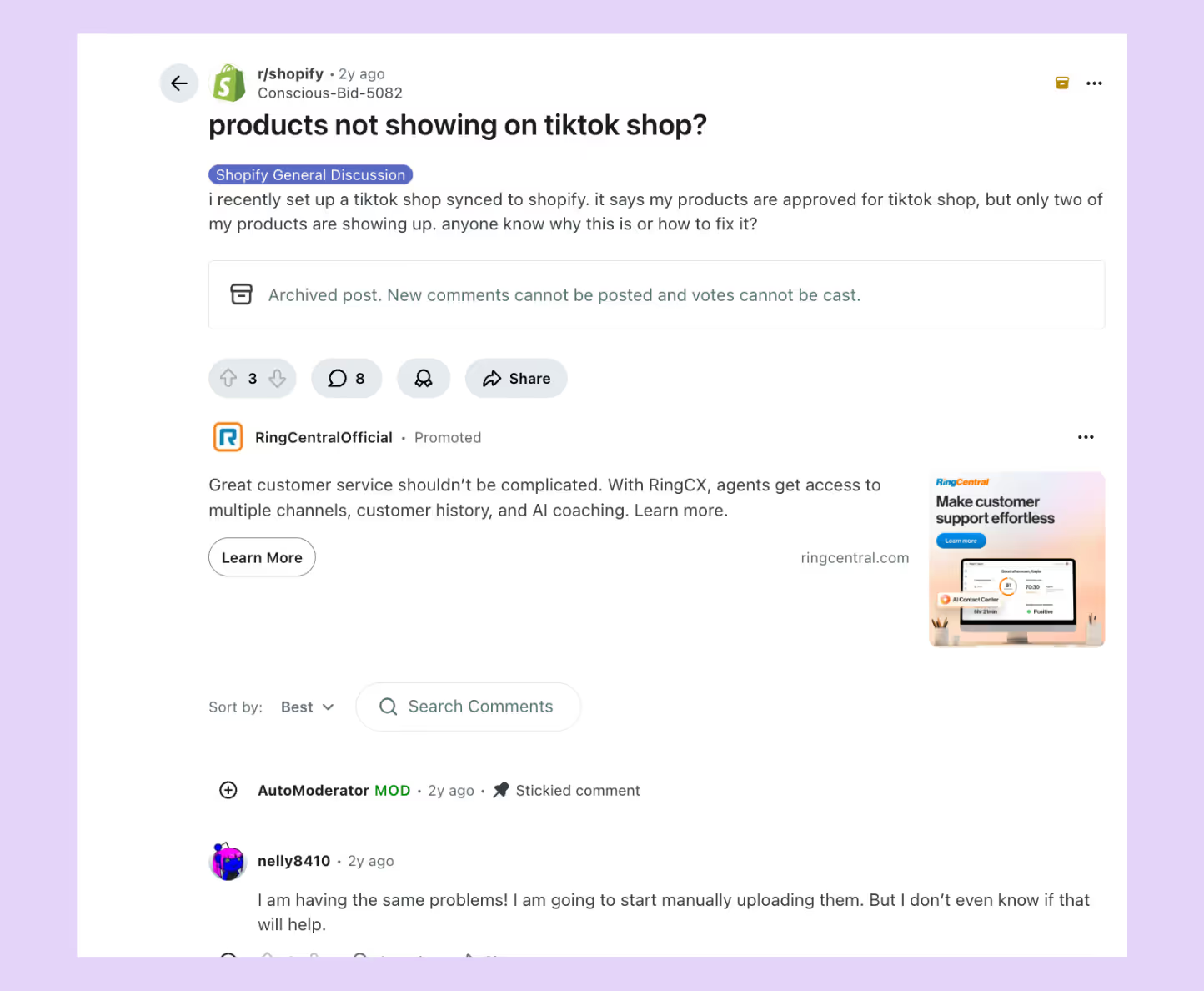
Most of the time, it comes down to one of these:
- The product is still marked as a draft in Shopify
- Inventory is missing or assigned to the wrong location
- Core fields like images, titles, or categories aren’t filled out
If you're using a connector app, don’t forget to check the sync logs. They’ll usually tell you exactly which product failed and why. It's not always obvious just by looking at the product itself in Shopify.
2. Variants splitting or missing
Sometimes, your variants look fine in Shopify, but TikTok breaks them into separate listings or drops them completely. The problem starts when TikTok can’t interpret the way the variants are structured.
What often causes this
- More than two variant options (like color, size, and material combined)
- Symbols, emojis, or overly long names in variant labels
- One or more variants missing SKUs, inventory, or pricing
It’s better to keep the variant setup as simple as possible. Stick to just color and size where you can, and make sure each variant is complete with all required data before syncing again.
3. Disapproved products and policy issues
Getting a product disapproved by TikTok? That usually means it tripped a policy rule during the sync. TikTok has its own internal checks that flag products for various reasons, and it doesn’t always explain why clearly.
You’ll usually run into rejections when
- The description includes claims TikTok considers misleading like “cures” or “boosts”
- The product falls under a regulated category that needs extra documentation
- You’re using images with logos, watermarks, or added text
These issues are tied to TikTok’s content policies. The fix is to adjust the listing and submit it again through Seller Center. It’s worth doing it right the first time if you’re working in categories like supplements, beauty, or electronics.
4. Image and price mismatches
Incorrect images or incorrect pricing typically result from field mapping errors during the sync process. When multiple Shopify fields contain similar data, such as sale price and compare-at price, the connector may send the wrong one to TikTok.
Avoid manual edits on TikTok after syncing, as they can break the link between both platforms. Adjust the field mapping in the connector, test one product, and resync to confirm the data flow is accurate.
5. Orders not syncing back to Shopify
Orders may fail to appear in Shopify when permission settings or fulfillment locations are misaligned. In most cases, the problem is related to
- Order sync being disabled in connector settings
- Missing API permissions to create orders in Shopify
- Orders marked as pending or canceled that some tools exclude by default
Ensure that the fulfillment location used for TikTok matches one recognized by Shopify. Once permissions and locations align, new orders should sync automatically.
How to Test Your Shopify to TikTok Shop Sync
Testing before a full rollout prevents listing errors, policy rejections, and order delays. Here’s how to properly test your Shopify-to-TikTok Shop sync before going live.
1. Run a small pilot sync
Begin with a small product set of three to five SKUs. Choose a mix of single-variant and multi-variant items to see how each behaves during syncing.
After syncing, review product details on TikTok Shop:
- Titles, descriptions, and prices should match Shopify
- Variants should appear under one listing, not as separate products
- Images should load in the correct order and format
If discrepancies appear, note whether the issue is tied to Shopify data or connector mapping.
2. Check field mapping accuracy
Before expanding your sync, review how Shopify data fields connect to TikTok fields. Small mapping errors often cause incorrect pricing, broken images, or missing stock data.
Most connector tools show a mapping panel. Use it to confirm that:
- The correct “price” and “compare-at price” fields are assigned
- The main image field is selected instead of variant or metafield images
- SKU and inventory fields match your active fulfillment location
If these are set incorrectly, TikTok may pull outdated prices or empty inventory counts. Run a quick test sync with one product to confirm the changes before applying them across your full catalog.
3. Place a controlled test order
The next step is to validate the order flow. This test confirms whether the systems are correctly exchanging data once a customer places an order.
Create a single test order directly on TikTok Shop using one of the synced products. Let the order go through checkout and payment so that it enters the order pipeline. Once the order is placed, move to Shopify to check if it appears automatically.
4. Review sync logs and error reports
Most connectors generate sync reports showing which listings failed and why. Reviewing these logs provides early indicators of mapping errors, policy violations, or missing product fields.
Export or download the log if available. Address each error before attempting a bulk sync to prevent duplicate listings or incomplete uploads.
5. Expand gradually to full catalog
Once the pilot products sync successfully and test orders process without errors, extend the sync to your full product catalog.
Start with one category at a time rather than all listings at once. This staged rollout makes it easier to isolate issues if they appear in specific product types or variant structures.
What to Do After You Sync Shopify with TikTok Shop
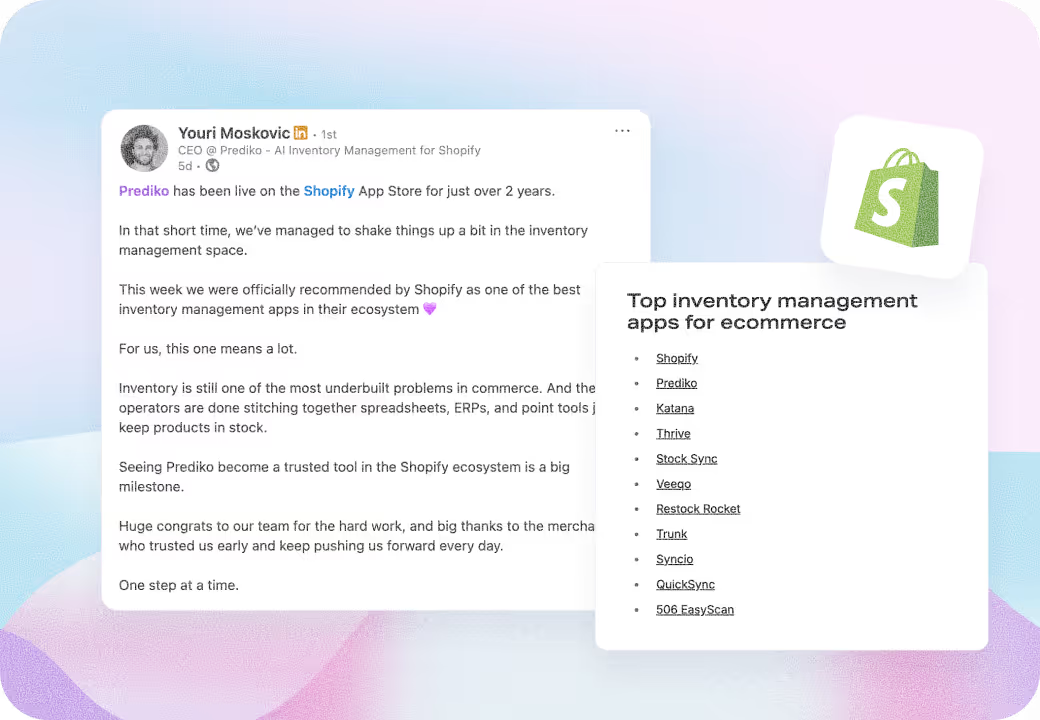
Once your Shopify store is successfully synced with TikTok Shop, the real work begins: Keeping your catalog, inventory, and ads aligned in real time. That’s where inventory sync apps such as Prediko enter the picture.
Prediko connects directly to your Shopify store and acts as a single source of truth for inventory for TikTok Shop and other channels.
Prediko tracks fast-moving SKUs, alerts when you’ll run out of stock, and automatically recommends when and how much to reorder. So even if a product goes viral on TikTok overnight, you’re never caught off guard.
With Prediko, you can integrate with a wide range of tools to keep your TikTok listings always up to date with what’s actually available.
Start your 14-day free trial and see how Prediko keeps your TikTok Shopify sync working smoothly.