

What is a Shopify Backorder?
Backorders allow you to keep selling products even when inventory runs out. Instead of showing an “out-of-stock” product page, you let customers place the order and fulfill it when stock is available again.
Shopify Preorder vs Backorder vs Out of Stock
The difference comes down to when the inventory exists and how you communicate that to customers.
Why Are Shopify Backorders Important?
You finally nailed the marketing. The right product, the right audience, the traffic’s pouring in, but suddenly your product page says “Sold Out”.
It’s one of the most frustrating moments for any Shopify store. Not only do you lose a ready-to-buy customer, but all the effort and ad spend it took to get them there goes to waste.
Worse, they may never come back.
Backorders fix this. It's one of the simplest ways to protect revenue and maintain customer trust even when inventory hits ZERO
1. Prevent lost sales during stockouts
Backorders let you keep the momentum going, so your marketing campaigns convert, and engaged customers don’t walk away.
For example, during the Black Friday-Cyber Monday (BFCM) weekend in 2024, Shopify merchants collectively achieved $11.5 billion in sales, a 24% increase from the previous year. This means you need to be prepared for such a surge as well, and backorders let you do that.
2. Reduce cart abandonment due to out-of-stock items
According to the Baymard Institute, 19% of U.S. online shoppers have abandoned a shopping cart in the past quarter solely because an item was out of stock.
Backorders let you hold onto this demand. This makes a difference in two major ways:
- Revenue keeps flowing, even when inventory doesn’t. You don’t lose the sale, you just shift the fulfillment timeline.
- Customer trust stays intact. You’re not turning buyers away or forcing them to hunt down alternatives on competitor sites.
3. Handles demand spikes without overstocking
High-demand periods, such as Black Friday, can lead to rapid inventory depletion.
In 2024, Shopify merchants experienced peak sales of $4.6 million per minute at 12:01 PM EST on Black Friday. No forecast can fully predict that kind of demand surge.
Implementing backorders during such times allows you to
- Capture sales beyond your current stock levels
- Avoid excess stock that might sit for months after the spike
- Collect revenue upfront, which can help fund your next production run
Shopify backorders work well for stores with limited-edition drops or other seasonal spikes, or production delays.
How Do Shopify Backorders Work & Help?
Backorders work in the favour of brands in many situations
1. Help in unexpected demand spikes
Backorders often start when demand moves faster than your inventory planning. Viral products are a perfect example. They turn slow-moving stock into a sellout overnight, and most stores don’t see it coming.
Take Maybelline’s Sky High Mascara. It was a standard product until one TikTok video blew it up. Within days, it sold out across retailers and entered constant backorder cycles. The brand hadn’t forecast that level of demand, and restocking couldn’t catch up.
This isn’t just a big brand situation. Any Shopify store running influencer campaigns, paid social, or product drops is exposed to the same dynamic.
2. Help with supplier delays or production issues
Sometimes when the demand is steady, the supply falls short. It happens when suppliers miss deadlines or production slows down without warning.
A common cause is material shortages. For example, during the global supply chain crunch in 2021, even large retailers like IKEA faced weeks-long delays because they couldn’t get basic components like wood and foam. This left products stuck in production or transit, not available to sell, but still in demand.
Small and mid-sized Shopify stores feel this even harder. If you’re relying on one supplier or working with just-in-time inventory, any hiccup, delays at port, labor strikes, or factory outages can lead to gaps in stock.
When you’re not in control of the supply chain, you’re forced to either mark items as sold out or offer backorders as a solution.
3. Help in cases of poor inventory forecasting
Bad forecasting is another direct cause of backorders. When you underestimate how much stock you’ll need or when you’ll need it, you run out. That gap between planned inventory and actual sales forces you to offer backorders.
This often happens when forecasts are built only on past sales, without factoring in promotions, traffic growth, or upcoming launches.
Add long supplier lead times, and you may not be able to fix the shortfall fast enough. Backorders are what you rely on when your inventory fails to keep up with real-time demand.
4. Help in Tariff-related delays or situations
Changes in trade policy or newly introduced tariffs can slow down shipments without warning.
The U.S. tariff increases have disrupted global supply chains, affecting a wide range of products, including essential baby items and electronics.
In such a scenario, the supply chain often takes a direct hit. Delays become obvious and retailers struggle to meet customer demand. Without sufficient safety stock, businesses turn to backorders as a contingency strategy to maintain revenue during these uncertainties and disruptions.
Pros and Cons of Shopify backorders
Backorders can obviously keep your sales going, but they’re not always the right call. Whether they make sense depends on what you’re selling and what your customers expect.
Pros: High-Demand, Niche, or Premium Products
Customers will wait when the product is hard to find or worth the wait. If you're selling a limited-edition item, a high-ticket product, or something with a loyal following, backorders give people a way to reserve their spot.
For example, specialty skincare, artisan gear, collectibles, or flagship electronics.
In these cases, not offering backorders means losing out on sales that were already locked in.
Cons: Low-Cost, Everyday Items
For commodity products like socks, phone chargers, or basic t-shirts, backorders don’t usually work. The price point is low, and customers expect fast delivery. If something’s out of stock, they’ll just buy it somewhere else.
Such situations increase the risk of customer complaints or refund requests if fulfillment takes longer than expected.
How to Setup Backorders on Shopify?
1. Set clear ETAs
When customers place a backorder, they’re agreeing to wait. That only works if they know how long the wait will be. Leaving them guessing leads to canceled orders, refund requests, and support tickets.
Always display an expected shipping or restock date directly on the product page. Make it visible near the “Add to Cart” button or use a banner.
If your supplier gives you a delivery window, be conservative. Add buffer time to account for customs delays, internal receiving, or warehouse processing. Especially when you're taking prepayment for an item that isn't in stock, trust is the currency. Clear ETAs reduce uncertainty, set expectations, and keep customers in the loop.
What to avoid:
- Generic Shopify backorder messages like “Shipping soon”
- Promising dates you haven’t confirmed with your supplier
- Hiding ETA info in the fine print or FAQs
Pro tip
If you’re not 100% sure of the date, use phrases like “Estimated shipping by April 25–30” and include a note like “We’ll keep you updated by email if this changes.” That sets a clear window and gives you room to communicate if delays happen.
2. Automate customer communication
Once a backorder is placed, the customer is locked in, but their patience isn’t. The period between payment and delivery is where trust can erode fast. This is where automation steps in.
You need a system that keeps customers informed without adding manual work to your plate. Use Shopify tags or inventory conditions to trigger flows in tools like Klaviyo.
Here’s what a backorder-specific flow should handle
- Order acknowledgment: Confirm the backorder status right after purchase. Reassure the customer that their order is secure and clearly state when they’ll receive updates.
- Status updates during the wait: If restock is in progress or production is delayed, send a midpoint update. Even a quick “Still on track for May 5 shipping” builds confidence.
- Shipping confirmation: The moment the item ships, trigger a final update with tracking and a thank-you. This closes the loop and ends the wait on a high note.
- Support and contact info: Every email should link to a backorder FAQ or a dedicated support contact. If customers don’t know how to reach you, they’ll head straight to socials or open support tickets.
3. Offer incentives
Nearly half of U.S. shoppers abandon carts because of unexpected extra costs like shipping fees. If you’re asking customers to wait for a product, removing one of the friction points, like shipping, can make the wait feel more acceptable.
A free shipping offer softens the delay and gives customers a reason to follow through with the purchase instead of canceling or buying from a competitor.
Another option is offering a small discount or a future-use coupon as a thank-you for waiting. These don’t need to be aggressive; even a 10% off code for their next order can leave a positive impression.
Ensure you don’t position the incentive as compensation for a problem. Frame it as appreciation. That shift in tone helps customers feel valued, not troubled.
4. Use a waiting list
Not every customer is ready to place a backorder. Some would rather wait until the item is actually back in stock.
A waitlist gives them that choice without you losing the sale entirely. By adding an email capture form to sold-out product pages, you create a low-friction way for shoppers to stay engaged.
A waitlist also acts as a demand signal. If hundreds of people opt in for restock alerts, that’s data you can use to forecast future orders, decide which SKUs to prioritize, and even determine how aggressively to reorder.
It also keeps your email list growing with high-intent buyers who have already shown interest.
What to include in your waitlist setup
- A clear headline like “Notify Me When Available”
- A short description with realistic restock timing, if you have it
- Auto-tag subscribers so they’re easy to segment when you restock
Don’t wait weeks to reach out once inventory is back. Email your waitlist within hours of restocking and keep the message focused on availability and urgency. If stock is limited, say so. The goal is to convert passive interest into a quick purchase before the product sells out again.
How to enable backorders in Shopify
There are two ways to enable Shopify backorders. One gives you full control but comes with a certain level of risk. The other keeps things automated and reduces errors.
1. Manual method: Edit Shopify product listings
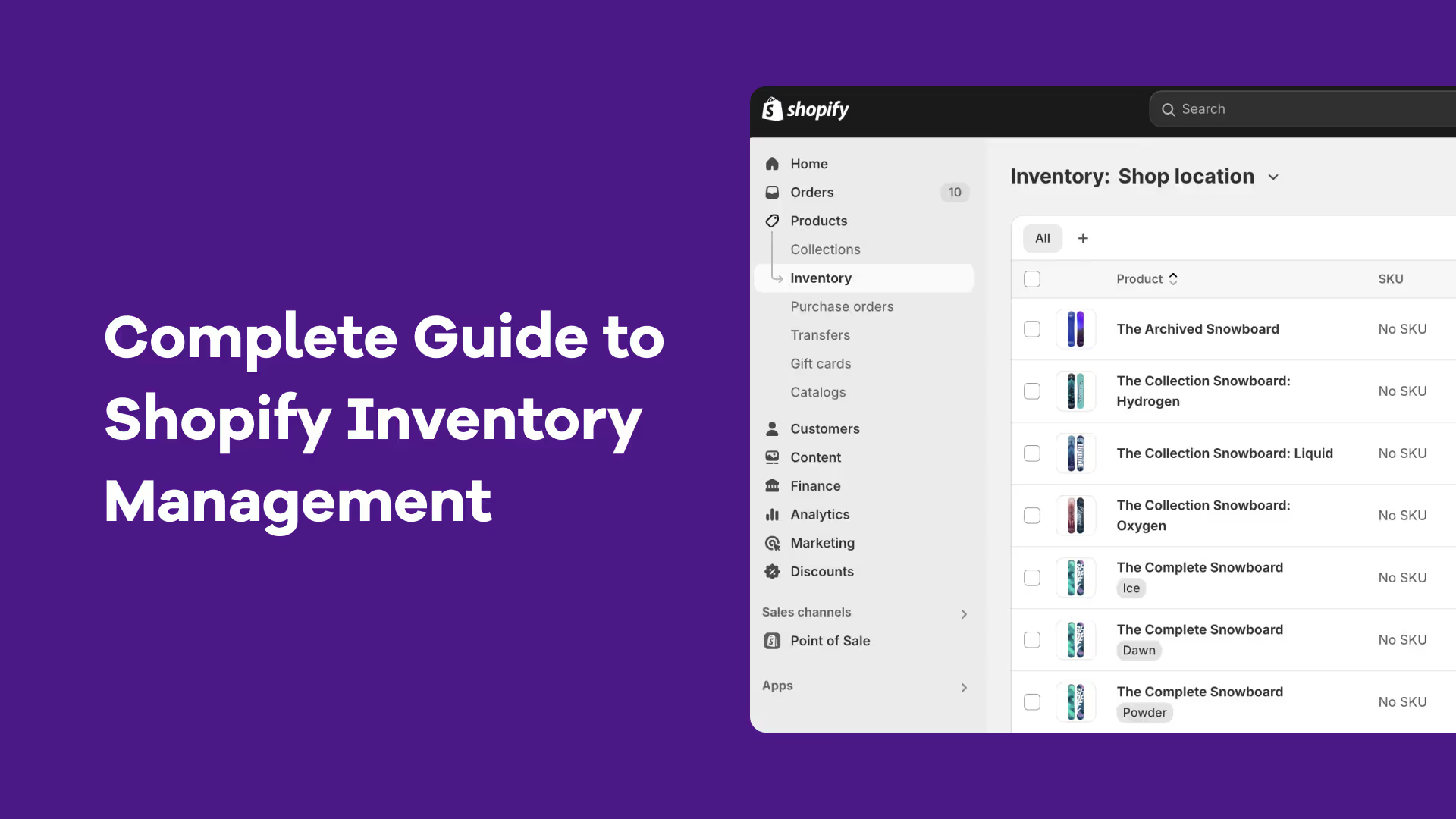
Shopify supports backorders natively, but only in a very basic way. Shopify allows purchases when inventory is at zero.
You can do this by
- Going to the product listing
- Click "Continue selling when out of stock"
- Update the product title or description to say “Backorder Available” or “Ships in X days”
Risks: You have to keep track of incoming stock manually. If too many orders come in and your restock doesn’t arrive on time, you’ll end up overselling. That means refund requests, angry customers, and support overhead.
Only use this method if you have tight control over your supply chain and low order volume.
2. Automated solution: Using a Shopify backorder app
Backorder apps connect your Shopify store with purchase orders, forecasts, and real-time inventory levels so that you can manage backorders in a controlled and predictable manner.
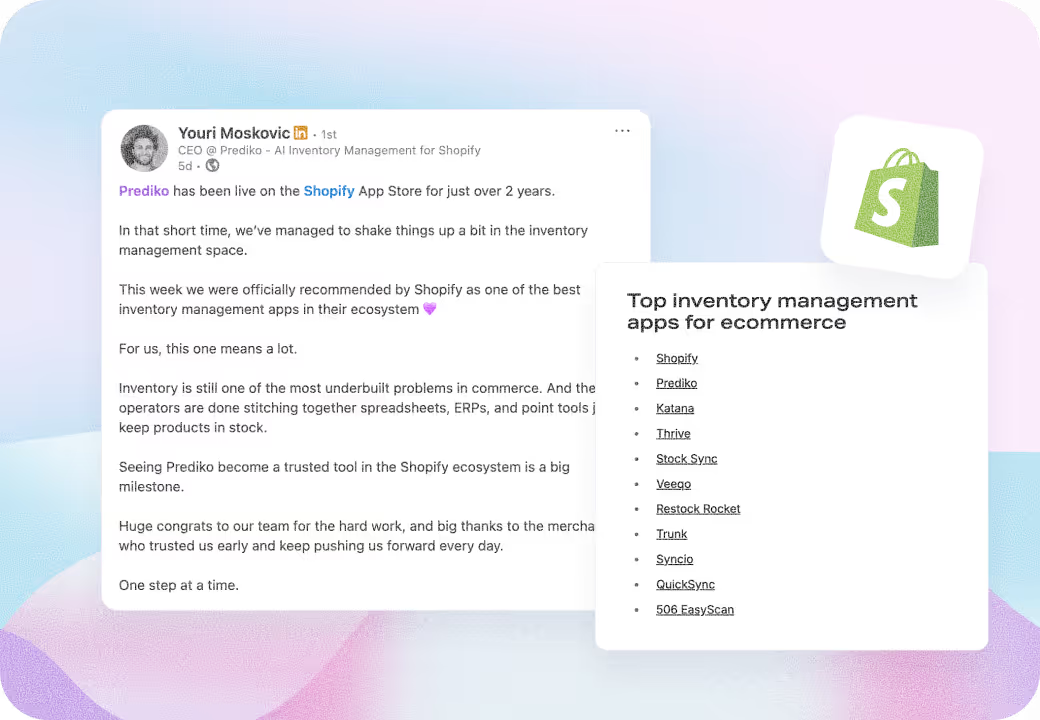
One of the the most popular backorder apps is Prediko. Our app tracks incoming POs and prompts you to reorder based on the current demand. Here’s how our features help tackle backorders effectively for Shopify brands.
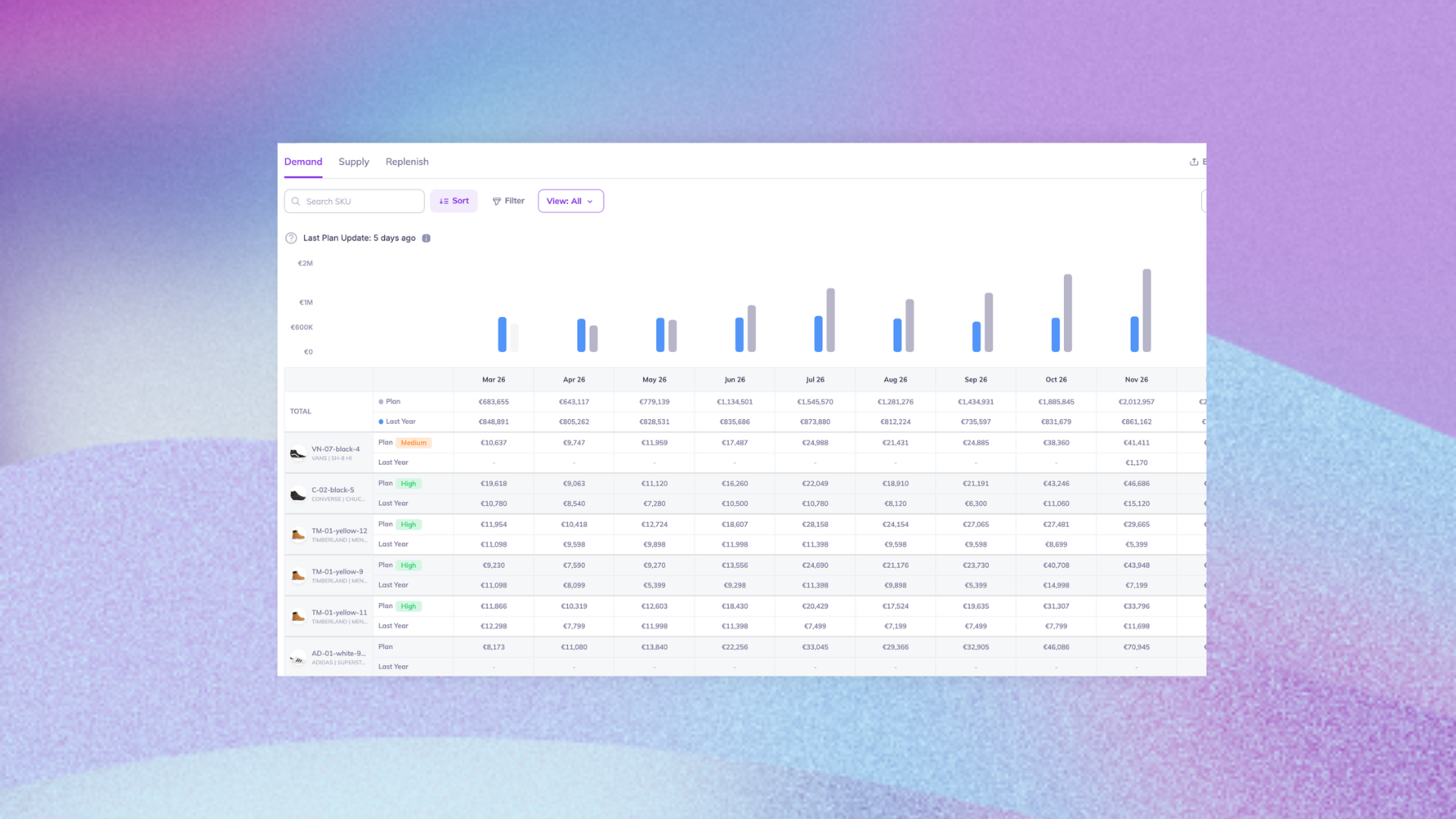
- AI Demand Planning: Our AI analyzes your sales history and learns from backorders, recognizing when demand exceeds supply and adjusting future forecasts accordingly.
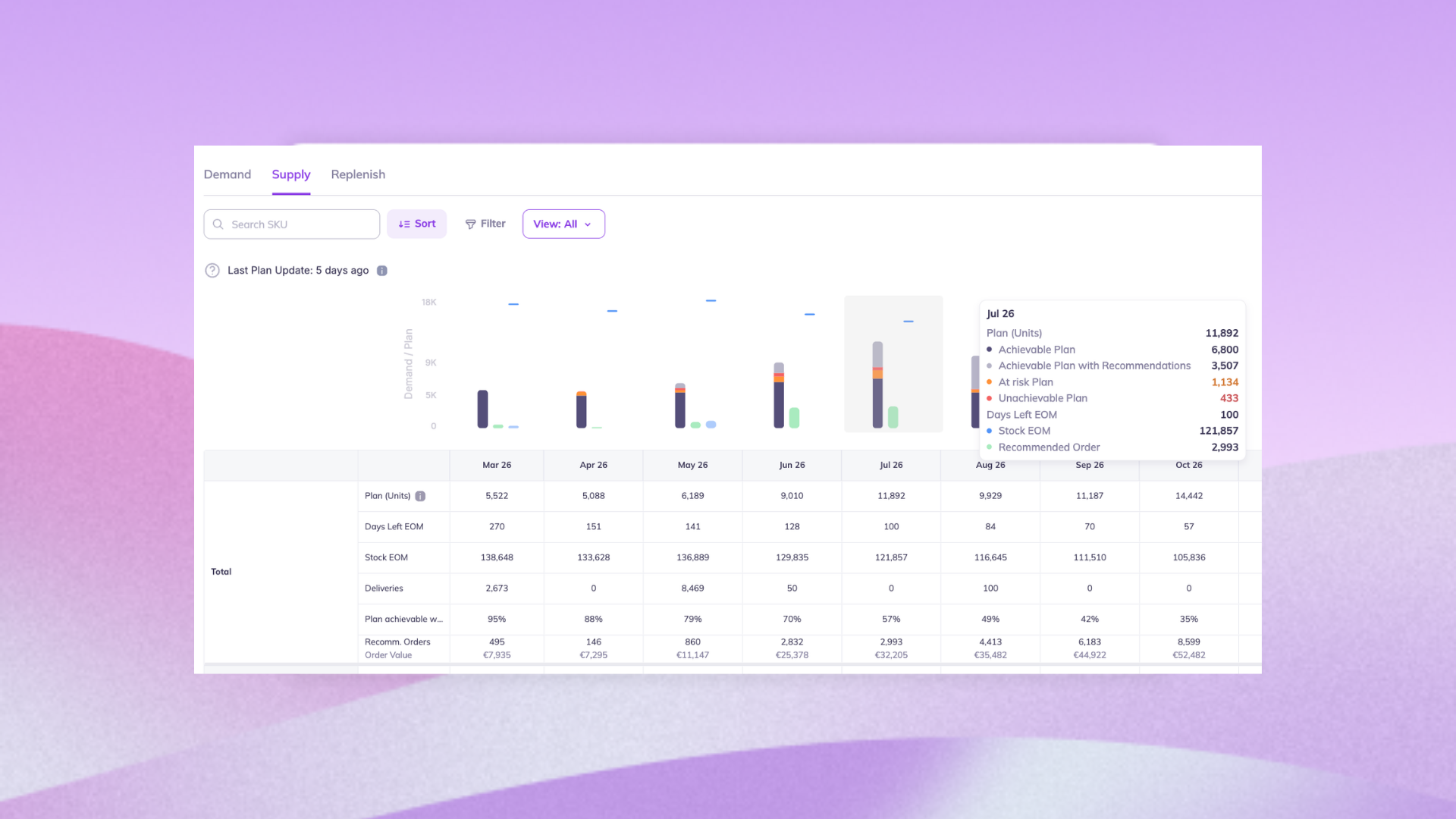
- AI Supply Planning: Then it translates the forecast into a clear buying plan, showing exactly what to reorder, when to order it, and in what quantity, so you can restock before inventory runs out, reducing the likelihood of backorders.
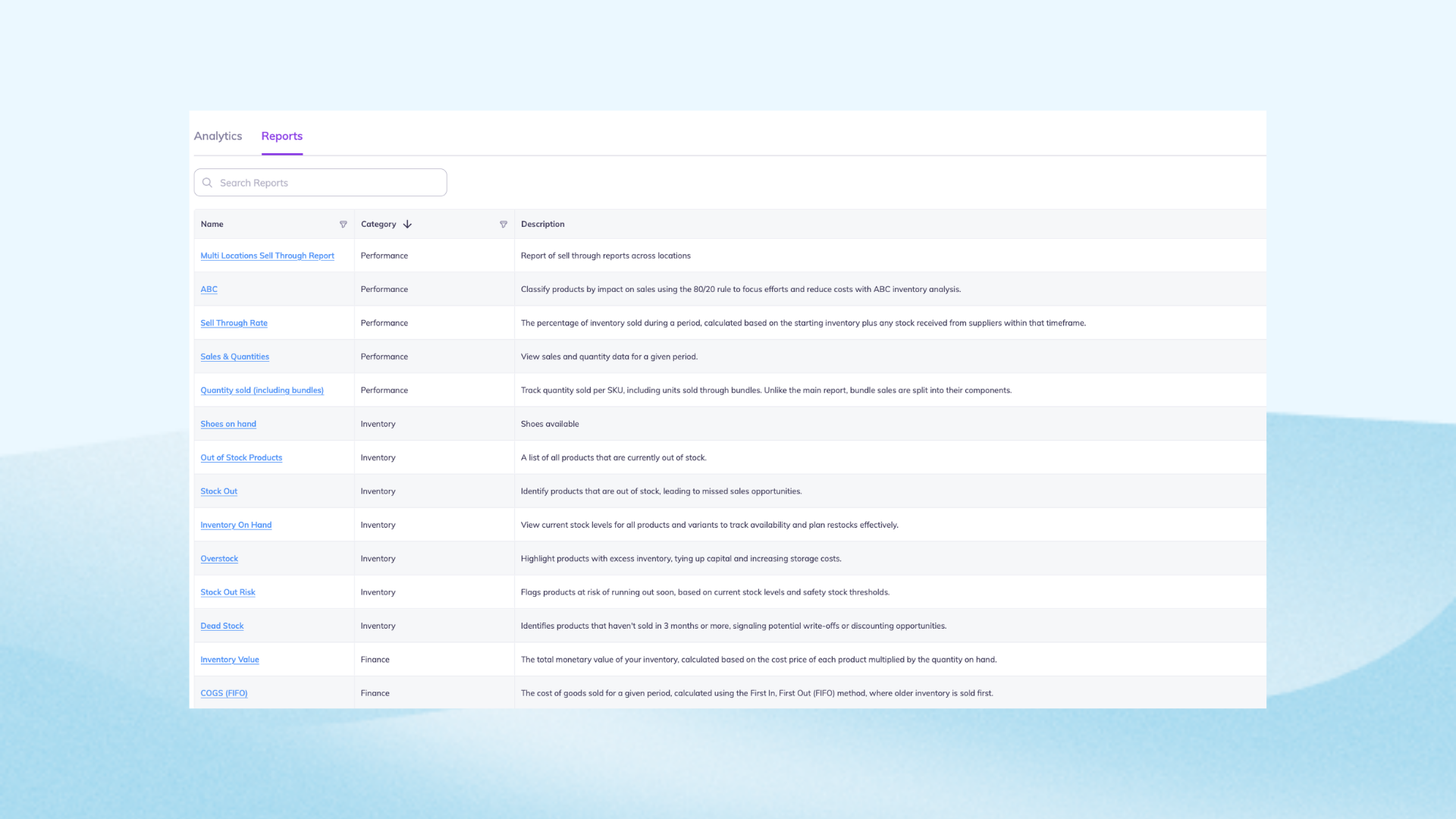
- Reports & Analytics: You get data on SKU-level performance, and product trends. This helps you spot underperformers, identify growth-driving SKUs, and refine your inventory to minimize backorders.
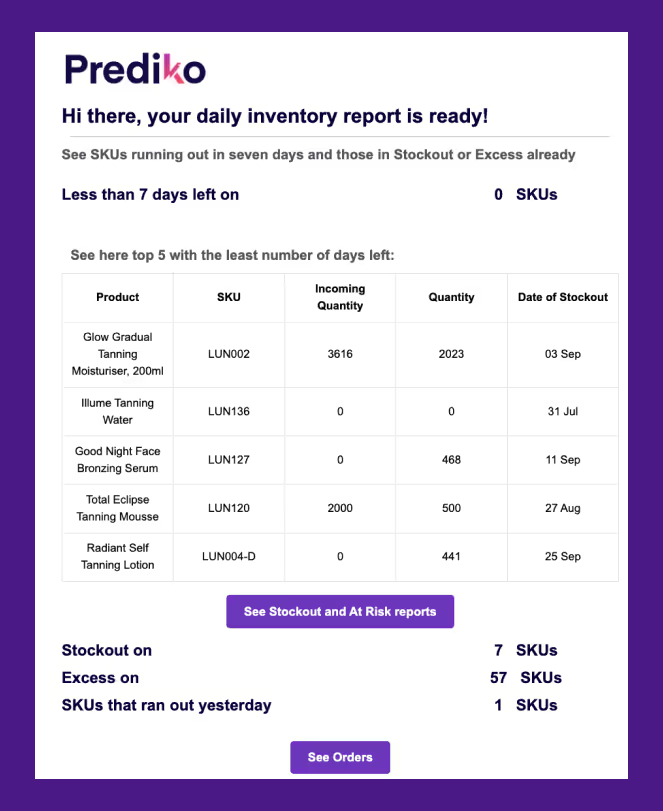
- Low Stock Alerts: Prediko sends real-time low-stock alerts when inventory approaches critical levels, factoring in supplier lead times and demand. This reduces backorder frequency by flagging at-risk items early.
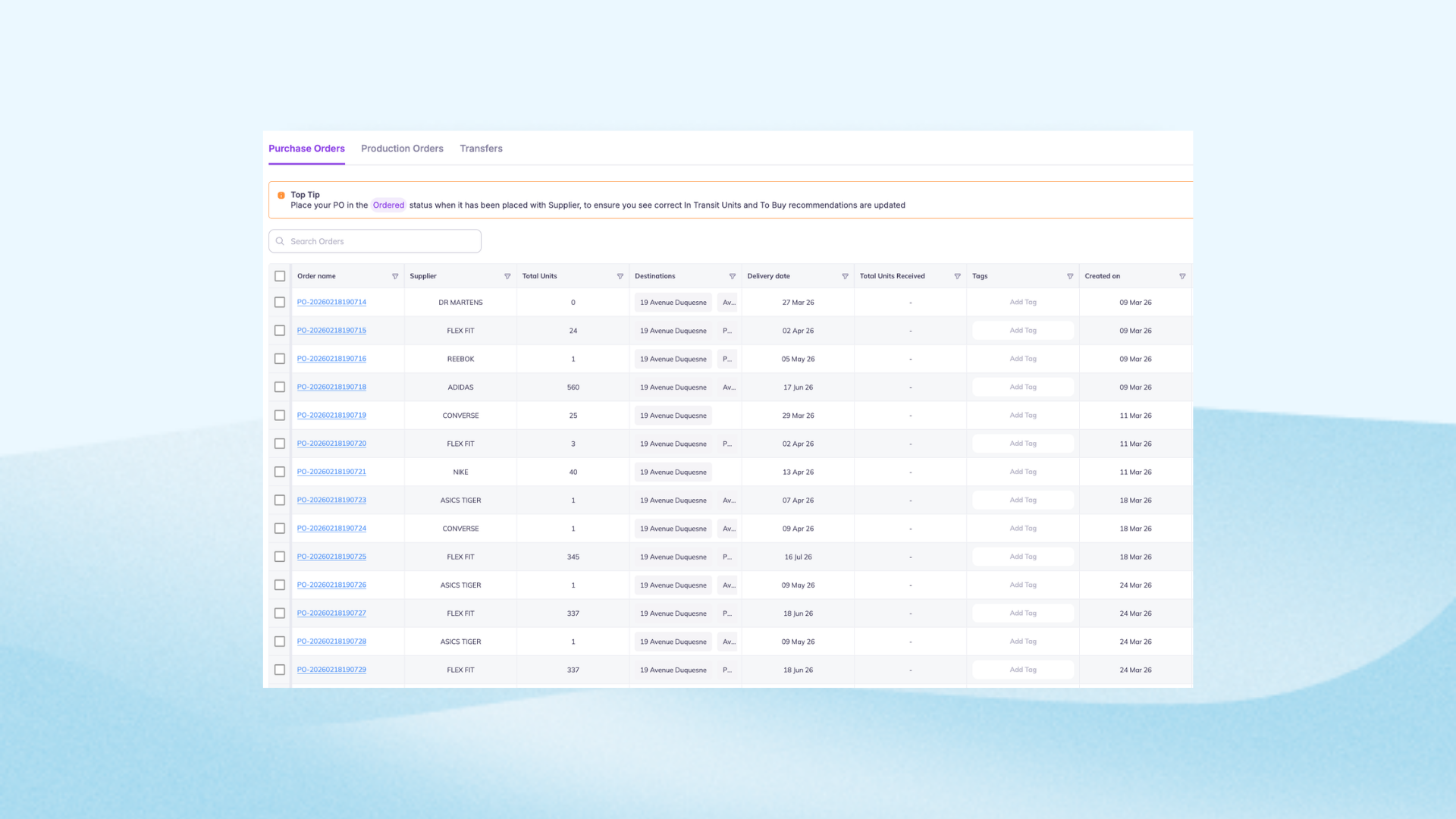
- Purchase Order Management: You can create purchase orders directly from your forecast. Our app integrates with Shopify directly to auto-update inventory once POs are received, ensuring backordered items are fulfilled and restocked on priority.
Streamlined Shopify Backorder Management
Shopify backorders are best for high-demand products when you can confidently track incoming inventory, ETAs, and purchase orders. Native Shopify setup allows selling past zero stock, but without forecasting and PO visibility, overselling becomes the main risk.
Prediko automatically checks whether stock is arriving soon, aligns it with both forecasted and current demand, and triggers reorders in case the demand is more than the current POs. You can then use this information to define how many backorders can be taken. This setup keeps your backorder process grounded in real numbers and lets you manage expectations with confidence.
Start your 14-day free trial and setup your backorder workflows.